Most “must-have Shopify apps” lists recommend 15 to 20 tools. New store owners install half of them, slow their store down, and spend $80 a month before making a single sale.
You need 8 apps at launch. Six are built by ShopiDevs. The other two are Judge.me for reviews and Klaviyo for email. Every one has a free plan.
Install them in the right order and your store is ready to take orders in an afternoon.
Quick Answer
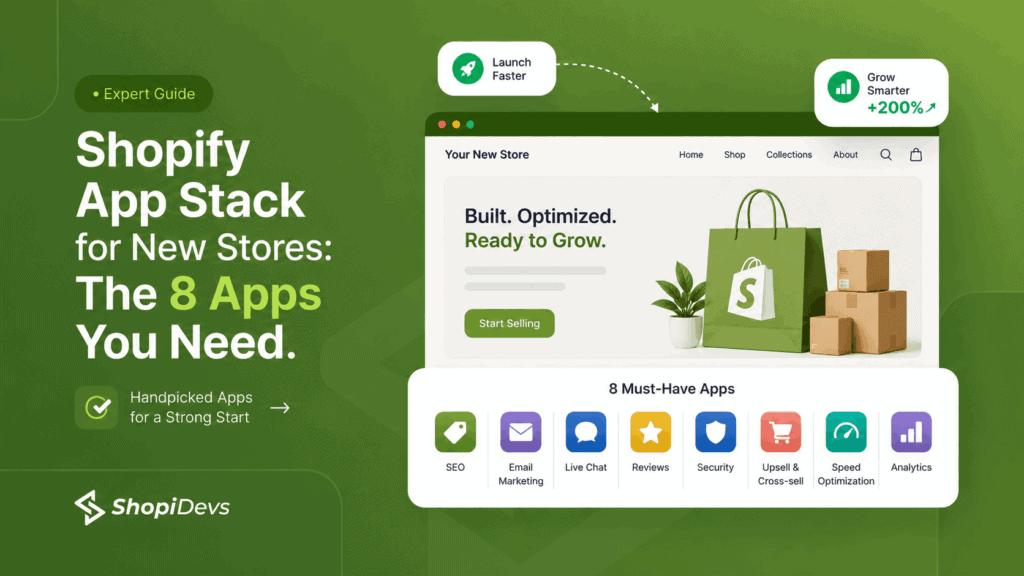
A new Shopify store needs 8 apps at launch: Syncora for automatic backups, File Manager and Image Optimizer for image compression and alt text, Slider Revolution for homepage hero sections and banners, Essential Grid Gallery for product galleries and lookbooks, EasyBoost for carousels and upsell widgets, Sidekick AI Studio for AI-powered product copy, Judge.me for product reviews, and Klaviyo for email marketing and abandoned cart recovery.
Six of these are built by ShopiDevs. Judge.me and Klaviyo are external tools recommended because ShopiDevs does not make a review app or an email marketing app, and new stores genuinely need both. All 8 have free plans. Two ShopiDevs apps (File Manager and Sidekick AI Studio) are completely free with no paid tier. Judge.me’s free plan is unlimited with no time limit.
Key Takeaways
- Install Syncora first. Shopify does not automatically back up your store. Before you touch anything, create a restore point.
- Fix your images before launch. Unoptimized product photos are the primary Largest Contentful Paint failure on new Shopify stores. File Manager solves this for free.
- Your homepage is a first impression. Slider Revolution gives you 600+ animated section templates, no developer required, from $4.99 per month.
- Visual selling requires a gallery app. Essential Grid turns your product photos and Instagram content into shoppable galleries. Stores with optimized galleries see 15 to 30 percent longer session duration.
- 70% of carts get abandoned. EasyBoost surfaces bestsellers, related products, and upsell widgets while visitors are still browsing, before they leave.
- Shopify Magic writes generic descriptions. Sidekick AI Studio adds a prompt library on top so your AI output is specific, on-brand, and search-optimized. It is free.
- Start collecting reviews on day one. A store with 0 reviews converts at 1 to 2 percent. A store with 50 or more reviews converts at 3 to 5 percent. Judge.me’s free plan requests reviews automatically with no time limit.
- Configure Klaviyo before your first traffic arrives. Cart abandonment averages 70 percent. Klaviyo’s abandoned cart flow recovers 5 to 15 percent of those lost carts on the free plan.
- The install order matters. Backup first, images second, storefront third, reviews and email before traffic, copy last. Skipping this sequence is how merchants end up with slow stores that are hard to fix.
The 8 Apps Every New Shopify Store Needs (And Why Not More)
A new Shopify store needs 8 apps at launch. Six are built by ShopiDevs: Syncora for backups, File Manager for image optimization, Slider Revolution for homepage design, Essential Grid for galleries, EasyBoost for product discovery and upsells, and Sidekick AI Studio for AI-powered copy. Two are external: Judge.me for reviews and Klaviyo for email marketing. ShopiDevs does not build a review app or an email marketing app. Including the best free options in those categories makes this guide credible and your store functional from day one.
How many apps does a new Shopify store need?
Six to eight apps is the correct number at launch. The average new Shopify store installs 6 to 10 apps in its first 30 days. Most installs are reactive: find a list of “must-have apps,” install everything that sounds useful. By month two, the store has 12 or more apps running. Three do overlapping work. Two are unused. No one knows which one is slowing the site down.
Each app adds JavaScript to your storefront. The performance impact ranges from 20ms to 200ms per app (Google Core Web Vitals documentation, 2024). Ten apps means up to 2 seconds of additional load time. More apps equals slower store equals fewer sales.
What happens if you install too many Shopify apps?
Three things happen. First, page speed drops. A store running 10 apps can accumulate 300 to 600 KB of additional JavaScript from third-party scripts alone. Second, the store becomes hard to debug. More scripts means harder to isolate which app is causing a conflict. Third, costs accumulate before the store has revenue to justify them.
The alternative is a purpose-built stack. Each app covers one specific job. No overlap. No bloat. The 8 apps in this guide cover every critical job a new Shopify store needs from day one.
Apps the average new Shopify
store installs in the first 90 days
Average ecommerce cart
abandonment rate (Baymard Institute)
Average Shopify conversion rate.
Top 10% of stores hit 4.7% (Littledata)
Performance Research
A Shopify store running 10 apps can accumulate 300 to 600 KB of additional JavaScript from third-party scripts alone. On a mobile connection, that load adds up to 1.5 to 2 seconds of blocked rendering time. Google’s Core Web Vitals threshold for a “good” Largest Contentful Paint score is under 2.5 seconds total. In practice, 10 apps and an unoptimized hero image will push most new stores past that threshold before a visitor sees a single product.
Source: Google Core Web Vitals documentation; Shopify Partner performance guidelines
What is a Shopify app stack?
A Shopify app stack is the set of third-party apps installed on your store to extend Shopify’s native functionality. Shopify’s core handles checkout, payments, product management, and basic storefront display. Everything beyond that (automated backups, image optimization, visual design tools, product galleries, upsell widgets, review collection, email marketing) requires apps from the Shopify App Store.
The term “app stack” describes the specific combination of apps you choose and how they work together. A well-built stack means no two apps do the same job, every critical function is covered, and total page speed impact is kept minimal.
App 1: Syncora, Back Up Your Store Before You Install Anything Else
Shopify does not automatically back up your store data. Most new merchants do not know this. They assume the platform handles it. It does not. If a bulk product edit goes wrong, a theme update breaks your layout, or an app conflict corrupts your product data, Shopify has no native one-click restore. You rebuild from scratch.
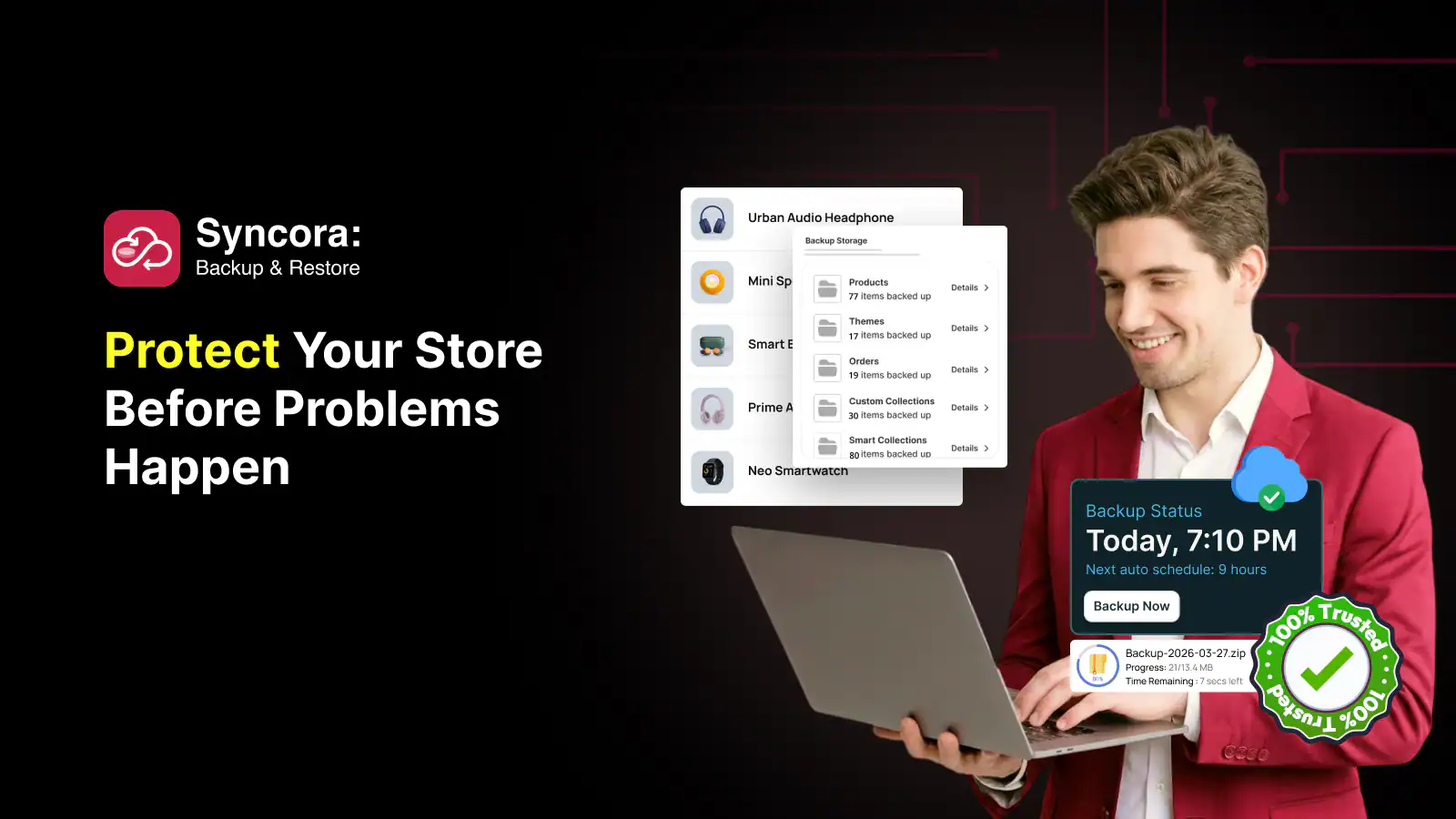
Syncora runs automatic daily backups of your products, collections, pages, blog posts, metadata, and store settings. When something breaks, you restore to exactly where you were before it happened. One click, no developer needed.
The free plan covers up to 50 products with 1-month backup history, which is enough for most new stores. Upgrade to Starter ($6.99/month) as your catalog grows, or Pro ($49.99/month) for agencies managing 2,000+ products. It holds a 5.0-star rating with 13 verified reviews and does the same job as market leader Rewind at a lower price.
See the full guide on protecting your Shopify store from accidental changes for a deeper look at what backup covers.
This is why Syncora is App 1. Every common store action carries risk:
- A theme edit removes a section and you can’t recall the original settings
- A bulk product import overwrites pricing or descriptions across hundreds of SKUs
- A newly installed app conflicts with checkout and needs an immediate rollback
- A price update goes live with wrong values before you catch the error
- You uninstall an app and lose custom metafield data tied to your products
Syncora: Automatic backup and one-click restore for Shopify
Daily automated backups for products, collections, pages, and store settings. Free plan covers up to 50 products. Unlike Rewind or Wonderment, Syncora is purpose-built by the ShopiDevs team and free to start, no credit card required.
Try Syncora FreeBottom line: Install Syncora before you make any other change to your store. The free plan covers most new stores. It costs nothing and protects everything you build from this point forward.
App 2: File Manager and Image Optimizer, Fix Your Images Before Launch
New Shopify stores fail their Core Web Vitals before a visitor sees a single product. The cause is almost always the same: unoptimized product images. A single hero image uploaded straight from a camera or phone can be 3 to 5 MB. Compressed to WebP with proper dimensions, that same image runs under 200 KB. The difference is 15 to 25 seconds of load time versus under 2 seconds.
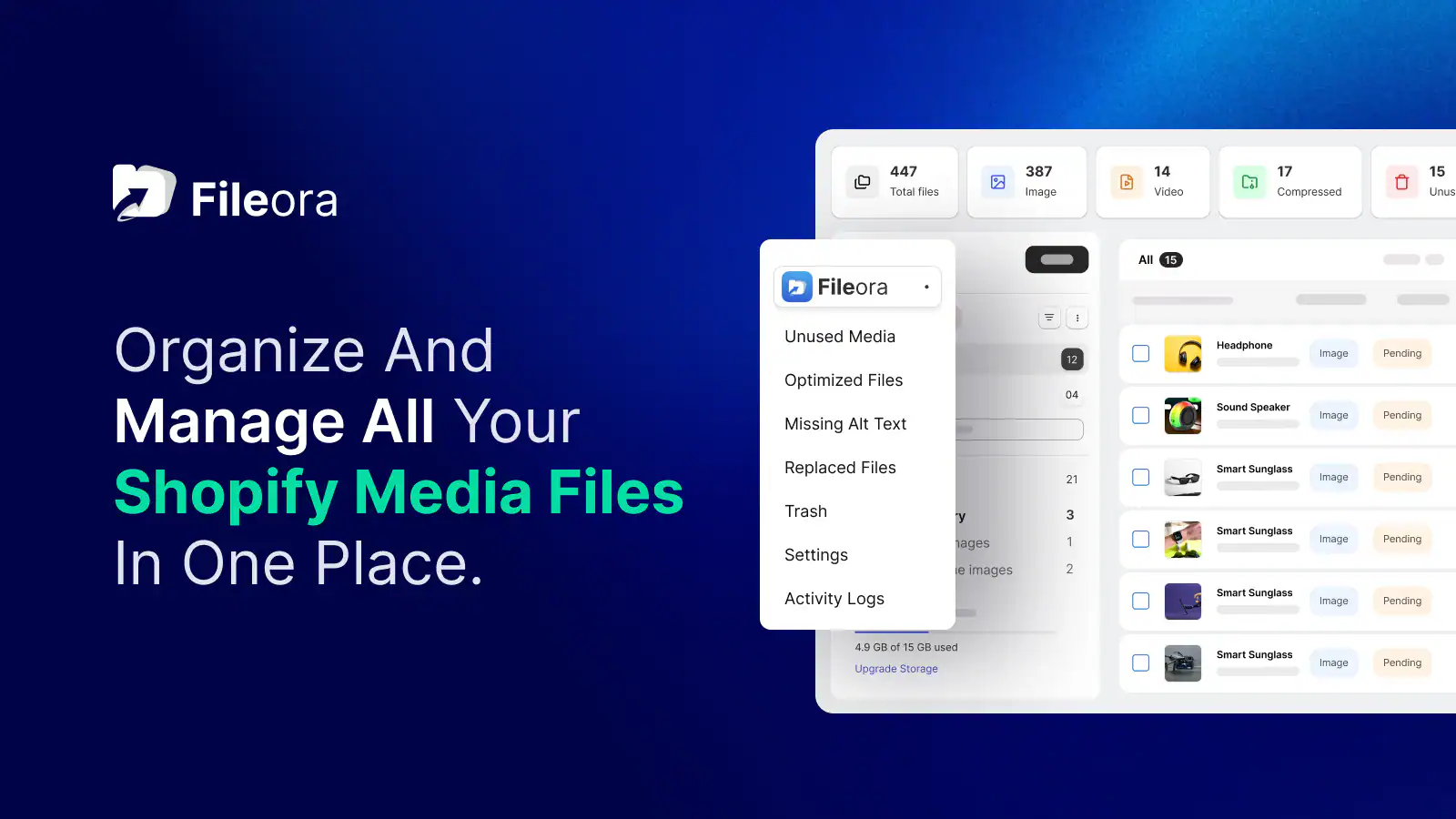
File Manager and Image Optimizer handles this automatically. Upload your product photos, and the app compresses them in bulk, converts to WebP format, and generates alt text using AI. It also organizes your Shopify media library into folders so you can find specific files without scrolling through 400 unsorted images.
Alt text matters for two reasons: accessibility and search. Google reads alt text to understand what an image shows. Missing alt text on 50 product images means 50 missed opportunities for image search traffic. Before paying for any SEO app, fix your images. Read the guide on best image sizes for Shopify to understand the exact dimensions you need per image type, and see how to export images from your Shopify store if you need to replace product photos at scale.
Most merchants handle images manually. Here’s what that workflow actually looks like:
- Download images from Shopify one by one or in batches
- Compress each file manually using a separate tool
- Re-upload to Shopify and reassign to products
- Write alt text manually for every image, or skip it entirely
- Search through a flat, unorganized media library every time you need a file
- Lose image search traffic because 50 product images have no alt text
Image SEO Research
Google Search Console data consistently shows that Largest Contentful Paint failures on Shopify stores trace back to oversized images. The LCP element is typically the hero image or first above-the-fold product photo. A store that passes LCP (under 2.5 seconds) converts at measurably higher rates than one that fails. Speed directly correlates with trust and purchase intent, particularly on mobile where the majority of Shopify traffic originates.
Source: Google Search Console Core Web Vitals report; Shopify speed score documentation
File Manager and Image Optimizer: Bulk compression, alt text, and media library organization
Compress all product images in bulk, auto-generate SEO alt text with AI, and organize your media library into folders. Fully free, no paid plan, no limits. Launched June 2026 by ShopiDevs. For stores preparing for a Core Web Vitals audit or an SEO push, install this before you install anything else on the visual side.
Try File Manager FreeBottom line: Install File Manager before any product image goes live. It is completely free, does the compression work automatically, and there is no reason to skip it.
App 3: Slider Revolution, Build a Homepage That Converts Without a Developer
Your homepage is the first thing most visitors see. Shopify’s default slideshow section works, but it looks like every other new store. Static image, text overlay, one button. Nothing wrong with it. Nothing memorable either.

Slider Revolution gives you 600+ animated section templates covering hero banners, countdown timers, announcement sliders, video sections, testimonial carousels, and full-width promotional layouts. Every template is drag-and-drop. No code required.
See the full breakdown of use cases in the Shopify hero slider guide.
The reason to install this early is sequencing. A polished homepage is the frame your entire store is evaluated against. Visitors make a trust judgment in the first 3 to 5 seconds. If your hero section looks like a placeholder, your products do not get a fair look. Slider Revolution fixes the homepage trust signal before you start driving traffic.
Install this before you drive any traffic. Here’s why the timing matters:
- Visitors make a trust judgment in the first 3 to 5 seconds on your homepage
- A placeholder hero section tells them the store is not ready, regardless of how good the products are
- Default Shopify theme sections have no animation, no layered content, and no motion that signals a professional store
- Building a custom hero from scratch in Liquid requires a developer and days of work
- Most page builders ($24+/month) are priced for established stores, not launch budgets
Image SEO Research
Google Search Console data consistently shows that Largest Contentful Paint failures on Shopify stores trace back to oversized images. The LCP element is typically the hero image or first above-the-fold product photo. A store that passes LCP (under 2.5 seconds) converts at measurably higher rates than one that fails. Speed directly correlates with trust and purchase intent, particularly on mobile where the majority of Shopify traffic originates.
Source: Google Search Console Core Web Vitals report; Shopify speed score documentation
File Manager and Image Optimizer: Bulk compression, alt text, and media library organization
Compress all product images in bulk, auto-generate SEO alt text with AI, and organize your media library into folders. Fully free, no paid plan, no limits. Launched June 2026 by ShopiDevs. For stores preparing for a Core Web Vitals audit or an SEO push, install this before you install anything else on the visual side.
Try File Manager FreeBottom line: Slider Revolution is $4.99 per month to publish one section. Your homepage is the first thing every visitor judges. One polished hero banner at $4.99 is worth the cost.
App 4: Essential Grid Gallery, Turn Product Photos Into Shoppable Proof
Shopify’s native product grid does one thing: show products in rows. It does not support shoppable lookbooks, Instagram feed walls, video galleries, or hotspot-tagged lifestyle images. If you sell anything visual (fashion, art, home decor, food, photography), the native grid is leaving conversion on the table.
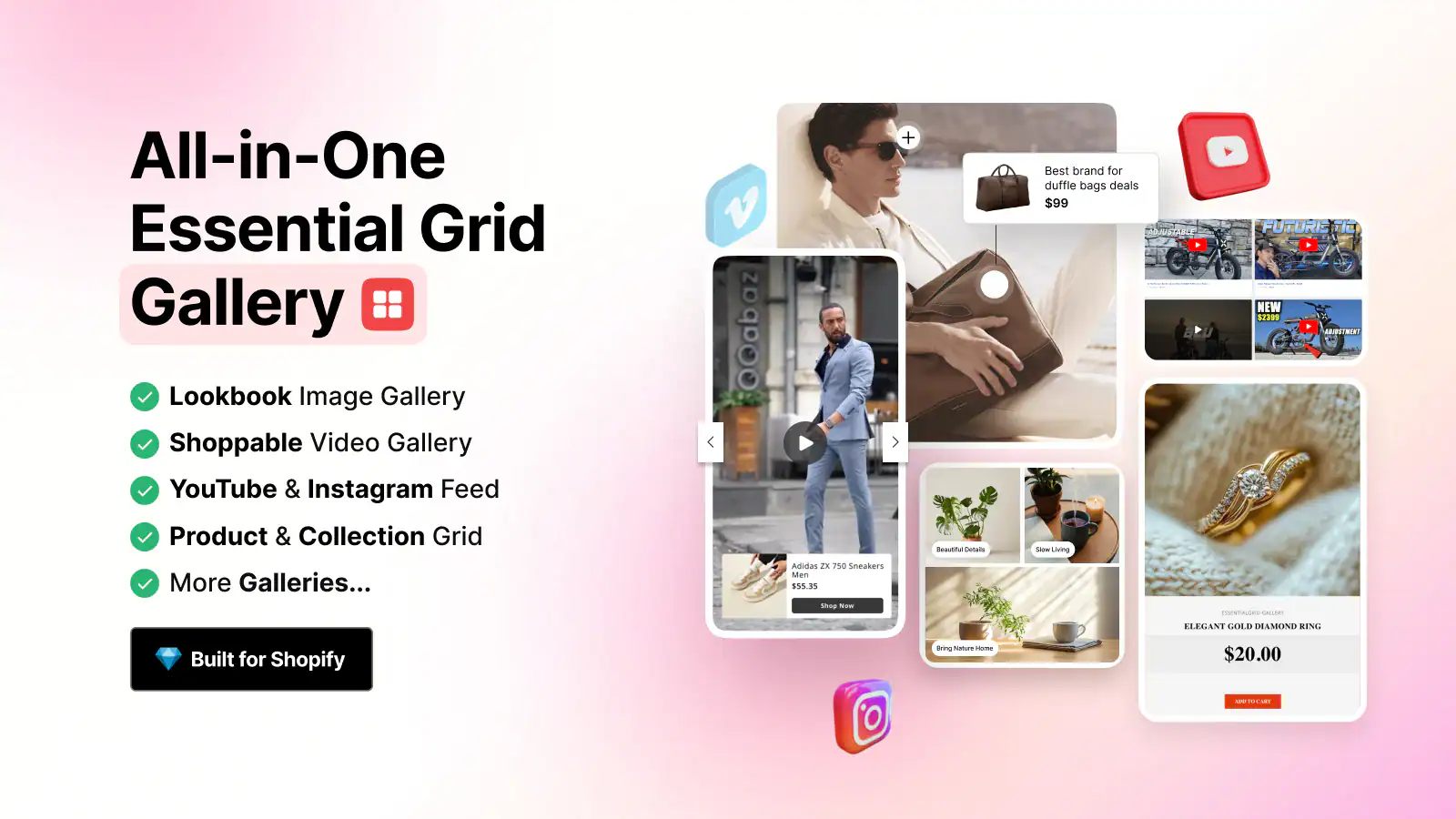
Essential Grid Gallery covers all of it. You can build a shoppable lookbook with hotspot product tags (how Shopify lookbook apps work), embed and display your Instagram feed as a live gallery (step-by-step guide here), create a YouTube video gallery for product demos (how to add video to your Shopify store), and set up a portfolio-style collection page with filtering and masonry layouts.
The proof point is session duration. Stores with optimized image galleries see 15 to 30 percent longer session duration compared to stores using default product grids. Longer sessions mean more product pages visited. More product pages visited means higher purchase intent. The connection between gallery quality and conversion rate is direct, not theoretical.
Default Shopify product grids leave money on the table:
- Products display in a static uniform grid with no filtering, no layout variation, and no visual hierarchy
- Instagram content lives on a separate platform with no connection to your product pages
- Video demos require embedding each one manually with no gallery structure around them
- Lookbook-style layouts that increase browse time are not possible without an app or custom code
- Shoppable hotspots (click an image, buy the product) require development work in a standard Shopify setup
The Basic plan at $5.99 per month unlocks 5 galleries and 15 templates, which is the right starting point for most stores. Columns Gallery is the free alternative. Essential Grid adds shoppable hotspots and Instagram sync that Columns does not support. For a deeper look at gallery options, see best gallery apps for Shopify and the guide to creating a Shopify photo gallery.
Free plan limit to know: The free tier caps at 12 images per gallery. For a full product lookbook or an Instagram feed wall, you will hit this limit quickly. The Basic plan at $5.99 per month removes the image cap and adds 14 more templates. Factor that into your launch budget: it is $5.99, and the conversion impact on a visual product category is measurably higher than the cost.
Essential Grid Gallery: Shoppable lookbooks, Instagram feeds, and video galleries
Build shoppable lookbooks with hotspot tagging, embed Instagram feeds, display YouTube video galleries, and create masonry or grid layouts for any collection page. 4.9 stars, 207 reviews, which is the highest review count in the ShopiDevs suite. Free plan for testing; Basic at $5.99/mo for 5 galleries and unlimited images.
Try Essential Grid FreeBottom line: Essential Grid is the highest-reviewed app in the ShopiDevs suite at 207 verified reviews. If your products are visual, the free plan proves the concept in an afternoon. The $5.99 Basic plan is the real working tool.
App 5: EasyBoost, Surface Bestsellers and Upsells While Visitors Are Shopping
70% of ecommerce carts get abandoned. Most of that abandonment happens before checkout. Visitors browse, do not find what they want immediately, and leave. The fix is not a better checkout. It is better to discover the product earlier in the session.
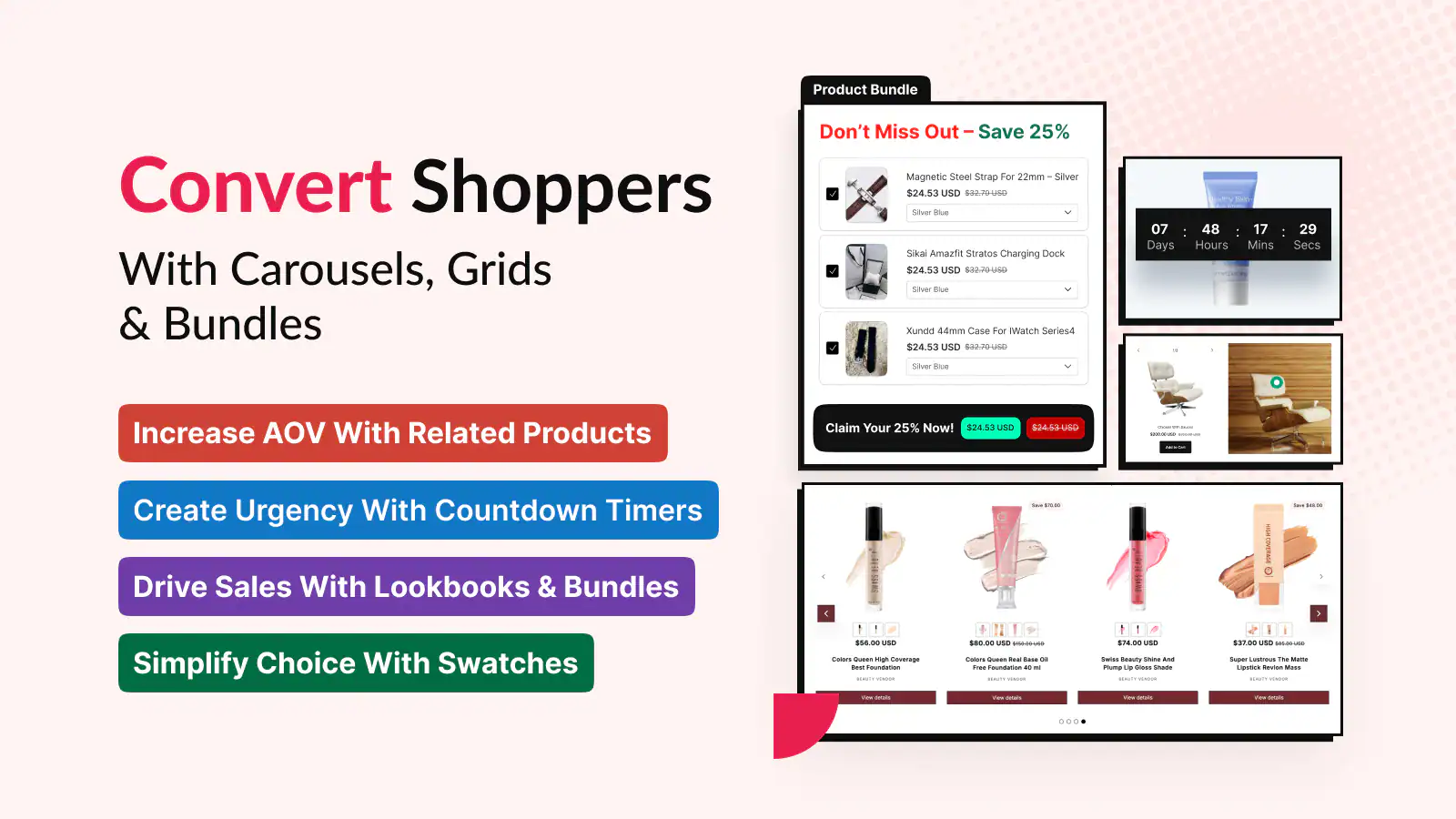
EasyBoost handles product carousels, upsell widgets, cross-sell displays, featured collection grids, countdown timers, and “frequently bought together” sections from a single dashboard.
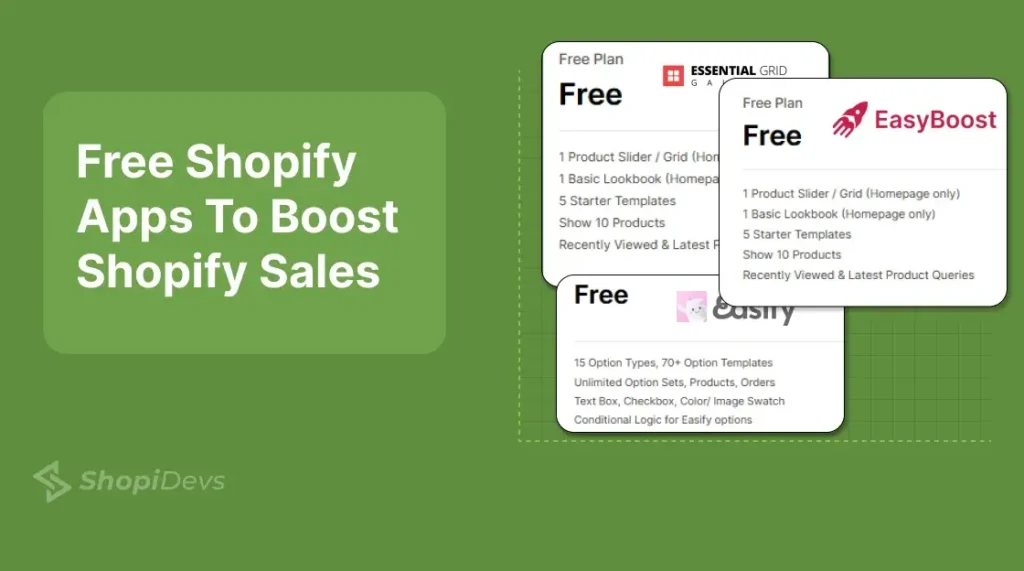
The free plan gives you 1 slider or grid, 1 basic lookbook, 18 templates, and up to 8 products displayed. Premium ($9.99/month flat) unlocks unlimited sliders, grids, bundles, lookbooks, and countdown timers with a 7-day free trial.
Frequently Bought Together charges per order above 50 orders per month. EasyBoost is flat $9.99 with no per-order fees. It holds a 5.0-star rating with 42 reviews. See how to set up upsells in Shopify for placement logic, and the best upsell apps for Shopify roundup for a full comparison.
Product discovery is a launch problem, not a scaling problem:
- A visitor lands on a product page and finds nothing related nearby, so they leave instead of browsing further
- Your bestsellers have no dedicated carousel on the homepage, so new visitors don’t know what to buy first
- There is no “frequently bought together” prompt at checkout, so every order is a single-item order
- Countdown timers and urgency elements require custom code without a dedicated app
- Upsell and cross-sell placement logic has to be manually coded into each page template
That is the full product discovery toolkit. There is a 7-day free trial on Premium. Frequently Bought Together charges per order above 50 orders per month. EasyBoost is flat $9.99 with no per-order fees.
EasyBoost: Product carousels, upsells, cross-sells, and countdown timers
Surface bestsellers, new arrivals, related products, and upsell offers across your homepage, collection pages, and product pages. Free plan includes 1 homepage carousel with 8 products. Premium at $9.99/mo unlocks unlimited placements, bundles, and countdown urgency widgets with a 7-day trial. Versus ReConvert: EasyBoost covers pre-checkout discovery; ReConvert targets post-purchase. Different jobs.
Try EasyBoost FreeBottom line: Install EasyBoost before your first traffic arrives. The free homepage carousel is real and functional. Add upsell placements on product pages at $9.99 per month when your traffic makes them worth tracking.
App 6: Sidekick AI Studio, Make Shopify Magic Actually Useful
Shopify includes Shopify Magic, an AI tool that generates product descriptions, email subject lines, and store copy. It works. The problem is that it generates generic output. It does not know your brand voice, your target customer, or how your product differs from competitors. You end up with descriptions that sound like every other store in your category.
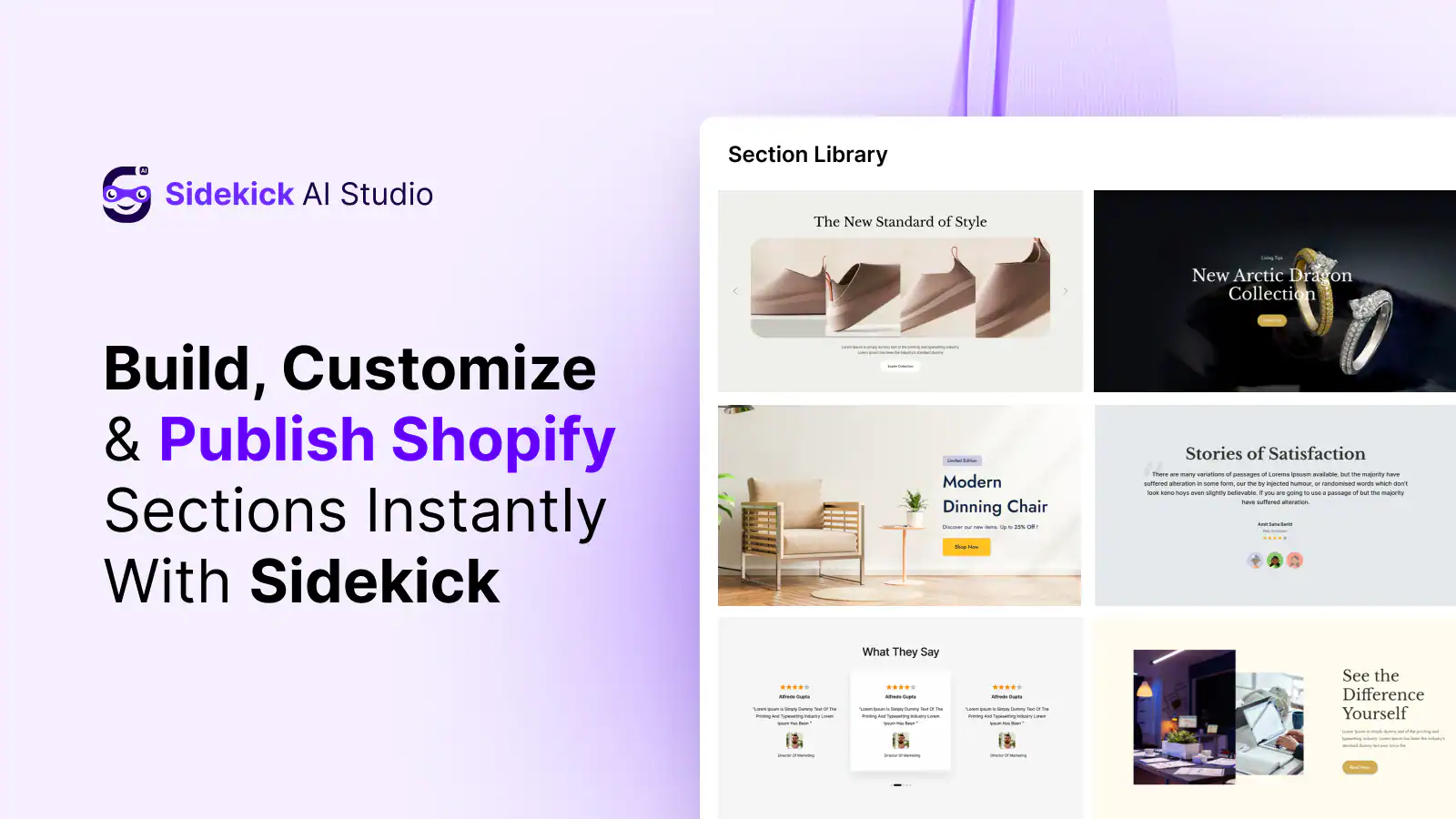
Sidekick AI Studio sits on top of Shopify Magic and adds a structured prompt library. Instead of generic AI output, you feed it brand-aware prompts that produce on-brand, search-relevant copy specific to your audience.
A skincare brand gets descriptions written for sensitive skin buyers. A streetwear brand gets copy that matches how their audience actually talks. Beyond product descriptions, it handles email campaigns, social captions, collection page intros, FAQ answers, and store policy drafts. It is completely free with no paid tier, no usage limits, and no credit card required.
Launched May 2026 by the same team behind Slider Revolution (4.9 stars, 171 reviews) and Essential Grid (4.9 stars, 207 reviews). Copysmith and Writesonic charge per word or per seat.
See the Shopify SEO guide for how AI product descriptions connect to broader keyword targeting strategy.
Writing 50 product descriptions at launch without this looks like:
- Generic AI output that sounds like every other store in your category
- 3+ hours per week on repetitive copy tasks that could be automated
- Product descriptions that miss the exact language your target customer uses to search
- No consistent brand voice across product pages, collection intros, and policy text
- A copywriting budget you don’t have yet but the work that still needs to get done
The track record transfers. Copysmith and Writesonic charge per word or per seat. Sidekick AI Studio is completely free and Shopify-native, with your product data built into every prompt.
Shopify Magic vs. Sidekick AI Studio: Shopify Magic is a blank AI canvas. Sidekick AI Studio is a curated prompt library that shapes what Shopify Magic produces. You are not replacing Magic. You are directing it. For new stores that want on-brand AI copy without building their own prompts from scratch, Sidekick removes the configuration overhead entirely.
Sidekick AI Studio: AI prompt library that makes Shopify Magic actually useful
A structured prompt library built on top of Shopify Magic for product descriptions, email copy, social captions, and store content. Fully free, no paid plan, no credit card. Launched May 2026 by ShopiDevs. Versus Copysmith or Writesonic: Sidekick is Shopify-native, free, and connected to your store data so prompts have product context built in.
Try Sidekick AI FreeBottom line: Sidekick AI is free, Shopify-native, and eliminates hours of repetitive copy work. Install it after your store structure is in place and use the prompt library to write product descriptions at scale.
App 7: Judge.me, Product Reviews
A store with 0 reviews converts at 1 to 2 percent. A store with 50 or more verified reviews converts at 3 to 5 percent. That gap is trust, and trust is what Judge.me builds. It collects photo and video reviews from your customers, displays them as widgets across your store, and syncs them to Google Shopping so your star ratings appear directly in search results.
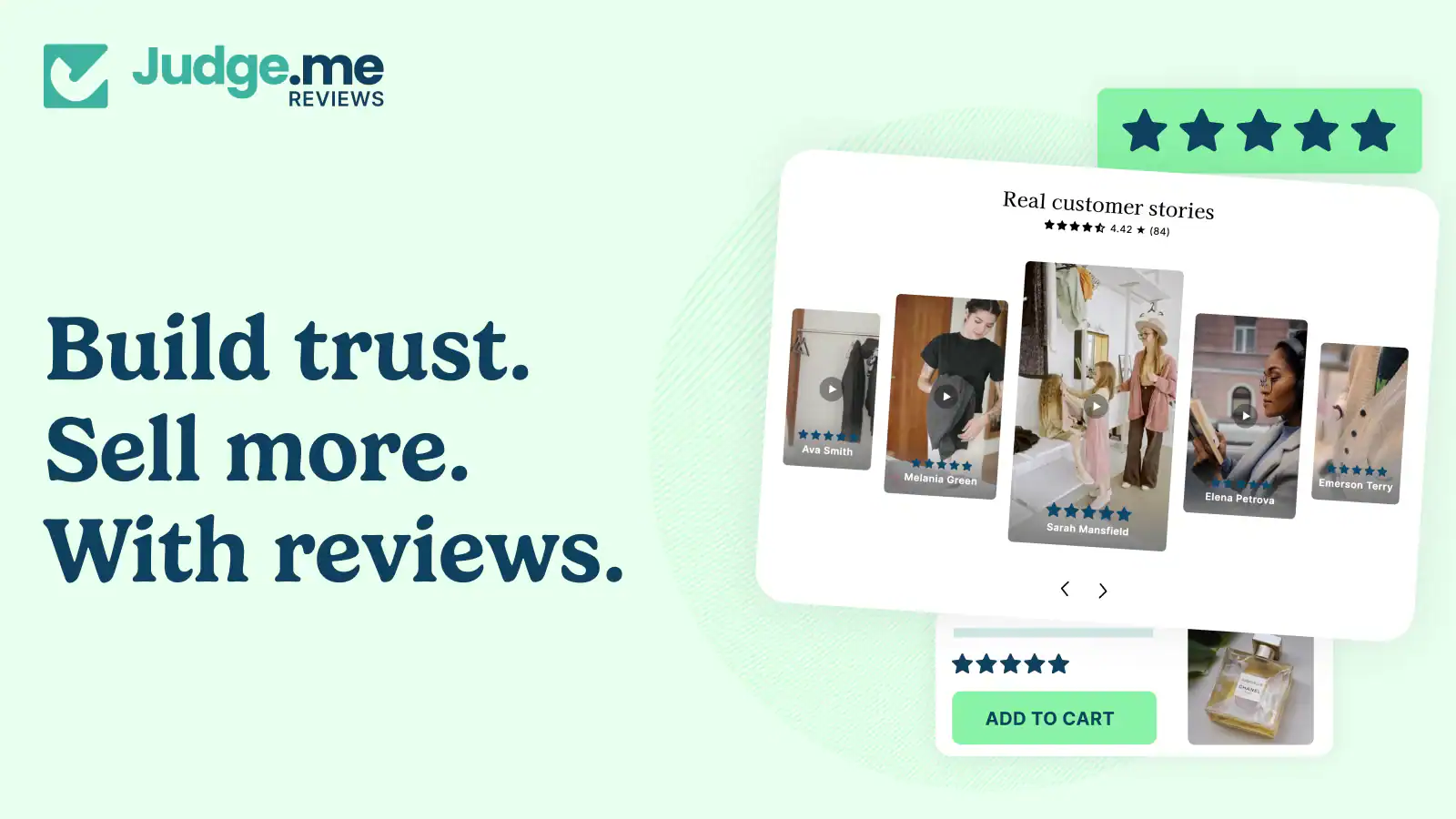
Judge.me sends automated review requests after purchase, collects text and photo reviews, and displays them with basic widgets on your product pages. The free plan includes unlimited review requests, unlimited reviews, and basic display widgets with no time limit and no branding watermark. Most stores stay on the free plan past 100 orders.
The Awesome plan ($15/month) adds custom review forms, a Q&A section, referral tools, and cross-shop syndication to the Judge.me network. Photo reviews pair directly with Essential Grid Gallery and can be pulled into a grid for homepage social proof.
92% of consumers read reviews before purchasing (PowerReviews, 2023). Install before you drive any traffic. Reviews take time to accumulate and the flow needs to be active from your first order, not your fiftieth.
What happens when you delay installing a review app:
- Your first 20 to 30 customers buy without being asked for a review, and that window closes permanently
- Product pages stay empty of social proof while you’re actively paying to send traffic to them
- Competitors with 50+ reviews rank higher in Shopify search results and Google Shopping
- Photo reviews that could be repurposed as UGC on social media never get collected
- You install the app at month three and spend the next two months catching up on reviews you should already have
Not a ShopiDevs app: Judge.me is made by a separate team. This guide recommends it because it is the best free option in the reviews category, and new stores genuinely need social proof from day one. ShopiDevs does not make a review app. Recommending only ShopiDevs apps would leave your store without this critical trust signal.
Judge.me: Unlimited product reviews, photo and video reviews, Google Shopping integration
Free plan includes unlimited review requests, unlimited reviews, and basic display widgets. No time limit, no branding watermark. Awesome plan at $15/month adds custom forms, Q&A, referrals, and cross-shop syndication.
Install Judge.me FreeBottom line: Install Judge.me before your first customer arrives. Reviews take time to build. Starting on day one means your store has social proof by the time you start paying for traffic.
App 8: Klaviyo, Email Marketing and Abandoned Cart Recovery
Klaviyo is the email and SMS marketing platform used by 130,000 or more ecommerce brands. The free plan covers up to 250 contacts and 500 email sends per month. That covers most new stores for their first three to six months. Paid plans start at $20 per month for up to 500 contacts and scale by list size from there.
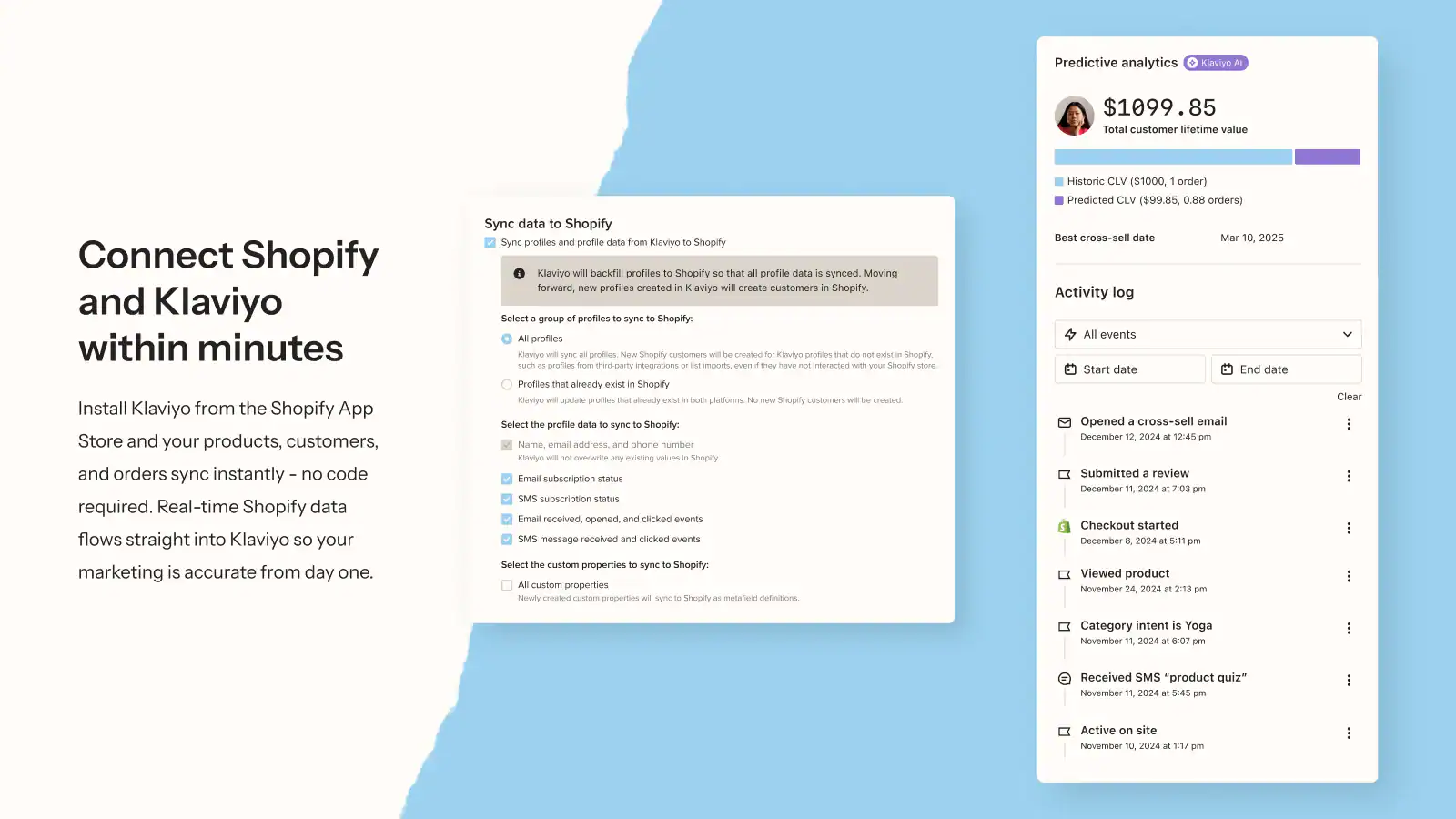
Cart abandonment averages 70% across ecommerce (Baymard Institute, 2024). Klaviyo’s abandoned cart flow recovers 5 to 15% of those lost carts on average (Klaviyo, 2024).
On a store doing $5,000/month in revenue, that recovery rate adds $250 to $750 back before you spend a dollar on ads. The free tier covers up to 250 contacts and sets up the abandoned cart flow in under 30 minutes. Klaviyo pairs directly with EasyBoost: EasyBoost captures revenue from visitors still browsing, Klaviyo brings back visitors who left without buying.
Together they cover both ends of the conversion gap. Configure the abandoned cart flow immediately after installing. It needs to be active before anyone abandons a cart, not after.
Every day Klaviyo is not installed is revenue you cannot recover:
- Abandoned carts from your first week of traffic are gone with no recovery mechanism in place
- There is no welcome sequence for new subscribers, so early email captures go cold
- Post-purchase follow-up (review requests, replenishment reminders) has to be done manually or not at all
- You have no visibility into which email flows are driving revenue versus which ones are being ignored
- Mailchimp and similar tools are not built for ecommerce flows; Klaviyo connects directly to your Shopify order and browse data
Free tier coverage: The free plan covers most new stores for their first three to six months. Upgrade when your list passes 250 contacts. At that point, Klaviyo’s paid features (segmentation, A/B testing, predictive analytics) become worth the cost.
Klaviyo: Email and SMS marketing for ecommerce, used by 130,000+ brands
Free plan: up to 250 contacts, 500 email sends per month. Abandoned cart flow setup takes under 30 minutes. Paid plans start at $20 per month for 500 contacts, scaling by list size.
Install Klaviyo FreeBottom line: Configure Klaviyo’s abandoned cart flow before your first traffic arrives. A 70 percent cart abandonment rate means most visitors will leave without buying. Klaviyo recovers 5 to 15 percent of them for free.
How to Install Your App Stack in the Right Order
The install sequence matters more than most guides acknowledge. Installing apps in the wrong order means making changes without a safety net, going live with unoptimized images, and building your homepage before your media library is clean. Here is the correct sequence for installing Shopify apps when starting a new store.
- Syncora: Install before everything elseYour first action after opening your Shopify store is creating a backup. Install Syncora, run a manual backup, and confirm the restore point exists. Every change you make from this point forward has an undo option. Skip this step and you are working without a net.
- File Manager and Image Optimizer: Before any images go liveUpload all your product photos and run a bulk compression pass before building any store pages. Clean, compressed images from the start means you never have to re-compress later. Generate alt text in bulk at this stage while your image library is small and manageable.
- Slider Revolution: Build your homepageWith your images optimized and a backup in place, build your homepage hero section. Start with one template from the Slider Revolution library, customize it to your brand colors and products, and publish. Your homepage is now a visual first impression, not a placeholder.
- Essential Grid Gallery: Add product galleries and lookbooksWith your homepage hero in place, build out your product galleries and lookbooks. This is the layer that turns a browsing session into a purchase consideration. Build your shoppable lookbook, embed your Instagram feed, or create a curated featured collection grid.
- EasyBoost: Add product discovery and upsell widgetsOnce your homepage and galleries are live, layer in product discovery. Set up a bestseller carousel on the homepage, a related products section on your product pages, and an upsell widget where it fits your product category. EasyBoost handles the display logic.
- Judge.me: Set up review request emails immediatelyReviews take time to accumulate. Install Judge.me before you drive any traffic and configure the automatic review request email. Your first customers will trigger the first review requests. Start day one, not month three.
- Klaviyo: Configure abandoned cart flow before first traffic arrivesSet up the abandoned cart flow in Klaviyo before any traffic hits your store. The flow needs to be active before someone abandons a cart, not after. Setup takes under 30 minutes on the free plan. Configure it now; it runs automatically from this point forward.
- Sidekick AI Studio: Optimize copy after the store is liveInstall Sidekick last, after your store structure is in place. Write product descriptions, collection intros, and homepage copy using the prompt library. This sequence works because you are writing copy for pages that already exist, meaning the AI has visual and structural context to work from.
This sequence takes most new stores 3 to 5 hours to complete. At the end of it, your store has a backup, optimized images, a visual homepage, product galleries, upsell placements, active review collection, an abandoned cart flow, and AI-generated copy. That is a launch-ready foundation. Everything you add after this point is growth tooling, not infrastructure. For what comes next, see best Shopify apps to increase sales for the growth-stage toolkit.
Free vs. Paid: What You Actually Need at Launch
Every app in this stack has a free plan. For most new stores, the free tiers cover what you need in the first 60 to 90 days. Here is the honest breakdown of what you get free, what the paid plans unlock, and when it makes sense to upgrade.
| APP | FREE PLAN? |
FREE PLAN LIMITS | PAID STARTING PRICE |
FREE TIER GOOD ENOUGH AT LAUNCH? |
|---|---|---|---|---|
| Syncora | Yes | Up to 50 products, 1-month backup history | $6.99/mo (Starter) |
Yes, for stores under 50 products |
| File Manager | Free Only | No limits, full feature access | No paid tier | Yes, free forever |
| Slider Revolution |
Yes | Testing only; cannot publish sections | $4.99/mo (Starter) |
No, upgrade to publish. $4.99 is the real entry point. |
| Essential Grid |
Yes | 1 gallery, 3 templates, 12 images max | $5.99/mo (Basic) |
Yes, to test. Upgrade when gallery needs 12+ images. |
| EasyBoost | Yes | 1 slider/grid (homepage), 1 lookbook, 8 products | $9.99/mo (Premium) |
Yes, homepage carousel is real and functional |
| Sidekick AI Studio |
Free Only | No limits, full prompt library access | No paid tier | Yes, free forever |
|
Judge.me EXTERNAL |
Yes | Unlimited review requests, unlimited reviews, basic widgets | $15/mo (Awesome) |
Yes, most stores stay free past 100 orders |
|
Klaviyo EXTERNAL |
Yes | 250 contacts, 500 email sends/month | $20/mo (500 contacts) | Yes, covers first few hundred customers |
The minimum launch cost for this stack is $0. You can run all 8 apps on free plans and build a complete, launch-ready store. The point at which paid plans make sense depends on your product count and how quickly you hit the free tier limits.
For Slider Revolution: upgrade on day one if you are building the homepage. The free plan does not let you publish. The $4.99 Starter plan is the real entry point. For Essential Grid: upgrade when your lookbook or gallery needs more than 12 images, which happens fast on any visual product category. For EasyBoost: the free homepage carousel is genuinely useful.
Stay free until you need upsell placements on product pages. For Judge.me and Klaviyo: the free plans are viable for most stores through the first few hundred orders and first few hundred customers respectively.
Total monthly cost for a paid ShopiDevs stack (three upgradeable apps): $4.99 + $5.99 + $9.99 = $20.97 per month. Judge.me and Klaviyo add $0 at launch on free plans. Against the CRO improvements that visual merchandising, product discovery, reviews, and email recovery drive on even a modest store, the math is straightforward.
Frequently Asked Questions
How many apps does a new Shopify store need?
Eight apps at launch is the right number. More than 10 apps before your store reaches $10,000 per month usually means app bloat, not progress. Each app adds JavaScript load time to your storefront, between 20ms and 200ms each. A purposeful stack of 8 apps covering specific jobs outperforms 12 scattered apps doing overlapping work. The eight apps in this guide cover every critical job from day one: Syncora, File Manager, Slider Revolution, Essential Grid, EasyBoost, Sidekick AI Studio, Judge.me, and Klaviyo.
What is the first app I should install on Shopify?
A backup app. Install Syncora before you make any other changes to your store. Shopify does not automatically back up your store data. One bad bulk edit, a theme update gone wrong, or an app conflict can delete hours of product setup with no native recovery option. Syncora creates automatic restore points so you always have a fallback. See the guide on protecting your Shopify store from accidental changes for more on what backup covers.
Do I need paid Shopify apps when starting out?
Not immediately. All 8 apps in this guide have free plans. Start free, learn each app, and upgrade when the free tier limits become your actual bottleneck. Sidekick AI Studio and File Manager have no paid tier at all. Judge.me’s free plan is unlimited with no time limit and no branding watermark. The only app that requires a paid plan to publish anything is Slider Revolution, where the Starter plan at $4.99 per month is the real entry point.
Which Shopify apps slow down my store?
Every app adds JavaScript to your storefront. Image optimization apps, review popups, email capture widgets, live chat scripts, and countdown timers are the biggest contributors. Performance research shows 10 apps can add 300 to 600 KB of JavaScript, which translates to up to 2 seconds of additional load time. Keep your stack to 6 to 8 purpose-built apps and audit for unused installs every quarter. Uninstalling an app does not always remove its scripts. Check your theme code after uninstalling anything.
What is the best Shopify app for product carousels and upsells?
EasyBoost is the best single app for product carousels, upsells, cross-sells, and collection display on Shopify. It handles bestseller carousels, new arrivals, featured collections, countdown timers, and upsell widgets in one app. The free plan includes one homepage carousel displaying up to 8 products. The Premium plan at $9.99 per month unlocks unlimited sliders, grids, bundles, and countdown timers with a 7-day free trial. For pre-checkout upsells on the cart and product page, read the full guide on upselling in Shopify.
Build Your Stack. Start With Free Plans.
All 8 apps have free plans. No credit card required for any free plan. Start with Syncora (backup first), then work through the sequence. The full stack takes an afternoon to set up and covers every critical job a new Shopify store needs at launch: backup, images, homepage, galleries, upsells, reviews, email, and copy.

Nahid Komol is a product marketer and GTM strategist specializing in WordPress, SaaS, and AI-integrated growth (AEO, AIO, GEO). With 10+ years of hands-on experience at brands like FunnelKit, FlyWP, and weDevs, he brings deep expertise in content strategy, product positioning, user acquisition, and full-funnel marketing. He's led campaigns generating $100K in sales, grown organic traffic by 70%, and ranked 500+ articles on Google, and is now building AI agent workflows that automate core marketing operations at scale. When he's not crafting strategies or engineering prompt systems, you'll find him exploring sci-fi, composing music, or capturing the quiet poetry of nature through his lens.