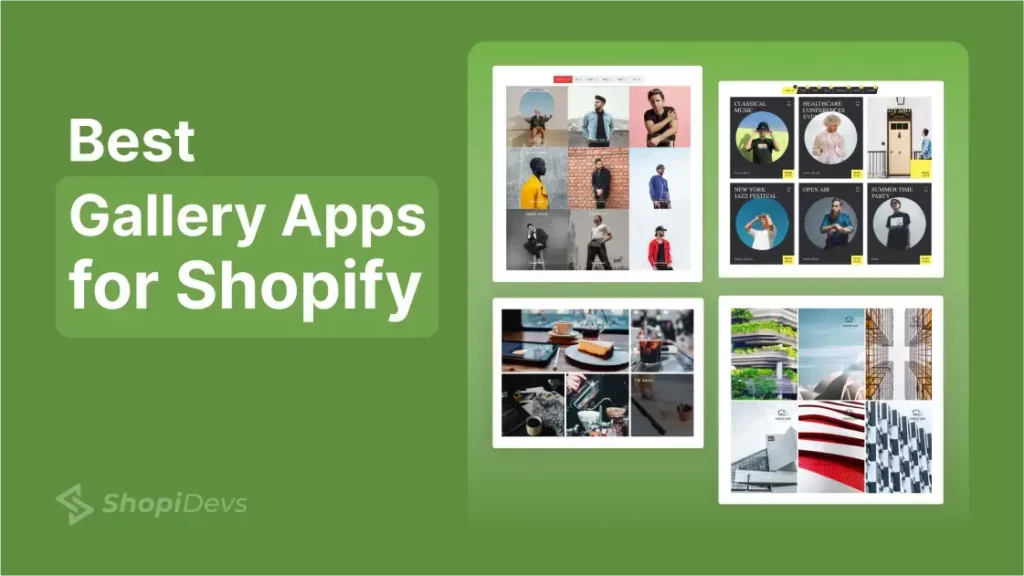
Gallery helps Shopify stores to display real-life products and UGC photos or videos. This is one most effective ways to enhance the visual appeal and user experience of your online store. Using a Shopify app is the easiest way to create galleries in a Shopify store.
But choosing the best Shopify gallery app for your Shopify store might be overwhelming. Because there are numerous gallery apps in the Shopify App Store. These apps offer a wide range of features and functionalities to improve your storefront.
In this blog, I will guide you not only in choosing the best gallery apps for Shopify, but also on how to increase sales using these gallery apps. You create eye-catching images, videos, products, collections, portfolios, Instagram, YouTube, and social galleries.
Do not rush into making a decision! Read the whole article carefully. A perfect gallery app can dramatically increase your sales 1000 times faster.
No matter if you’re a beginner or an experienced e-commerce business owner. Let’s go ahead!
Benefits of Using Gallery Apps for Your Shopify Store
Using a gallery app helps you to present products and portfolios in a more structured, engaging, and conversion-friendly way. Below are the key benefits Shopify merchants gain from gallery apps:
- Better Visual Presentation for Better Engagement: Show products, images, and videos in clean layouts that instantly grab attention.
- Enhanced User Experience: Organized galleries make browsing faster, smoother, and more enjoyable.
- Boost Sales with Shoppable Gallery: Let customers explore visuals and buy products directly from galleries.
- Improved Page Speed: Zoom, lightbox, pop-up, lazy loading, and optimized media improve performance.
- Keep Fresh with Social Media Feed Gallery: Display Instagram and social content to keep your store dynamic and up to date.
- Stronger Brand Impact: Consistent, high-quality visuals build trust and elevate your brand image.
10 Best Shopify Gallery Apps (Tested in Real Shopify Stores)
| App Name | Best For | Use Cases | Price (Monthly) | Rating (Reviews) |
| Essential Grid Gallery | Lookbook Image Gallery Shoppable Video Gallery YouTube & Instagram Feed Product & Collection Gallery Vimeo & Blog Gallery Album Gallery | Dedicated Gallery Page Gallery Section in Homepage Slider/Carousel in Homepage Instagram Feed on Homepage Video Slider on Homepage Gallery in Product Page Slider in Product Description Dedicated Portfolio Page | Free – $0 Basic – $5.99 Standard-$12.99 Business–$29.99 | 4.9 ★ (194) |
| EasyBoost | Product Sliders & Grid Gallery Collection Sliders & Gallery Lookbook & Upsell Bundles Countdown Timers to Boost Sales | Product Slider on Homepage Collection Grid Anywhere Shoppable Lookbook Section Recommended Product Gallery Related Product Gallery | Free – $0 Pro – $9.99 | 5.0 ★ (44) |
| Uploadify | User-Generated Content Customer Photo Upload Shoppable UGC Gallery Instagram & TikTok Import | Customer Gallery Page UGC Section on Homepage Shoppable Social Proof Product Page UGC Section | Free – $0 Basic – $4.99 Premium-$14.99 | 5.0 ★ (17) |
| Nitro Image Gallery | Shoppable Lookbook Interactive Gallery Product Pin Tagging Editorial Fashion Visual Storytelling | Homepage Lookbook Section Collection Page Lookbook Shoppable Outfit Page Campaign Landing Page Product Page Section | Free – $0 Pro – $5.59 | 5.0 ★ (42) |
| EM Lookbook Gallery | Fashion Lookbook Shop The Look Product Tagging on Images Editorial Style Gallery | Lookbook Page Outfit Page/Section Homepage Section | Free – $0 Basic – $4.99 Pro – $12.99 Business-$29.99 | 4.9 ★ (157) |
| Instafeed | Instagram Feed Gallery Social Proof Section Reels Display Auto-Sync Instagram Content | Instafeed on Homepage Product Page Insta Section Footer Social Gallery Landing Page Social Block | Free – $0 Pro – $8 Plus – $20 | 4.9 ★ (1448) |
| XO Gallery | Modern Grid Gallery Masonry Layout Portfolio Showcase Lightweight Gallery | Homepage Gallery Portfolio Page Collection Showcase Landing Page Visuals | Free – $0 Basic – $5.95 Pro – $14.95 | 4.9 ★ (166) |
| Mintt TikTok Feed | TikTok Video Feed Auto-Updating TikTok Section | TikTok Feed on Homepage Product Page Section Video Landing Page Social Media Block | Free – $0 Mintt Plus – $5 | 4.9 ★ (26) |
| Robin PRO | Image Gallery Masonry Grid Layout Watermarked Galleries Fast Loading Galleries | Dedicated Gallery Page Homepage Gallery Section Portfolio Showcase Brand Story Page Collection Page Gallery | Free – $0 Pro – $5 | 5.0 ★ (65) |
| SocialWidget | Instagram & TikTok Feed Shoppable Social Gallery Auto-Updating UGC Social Media Integration | Homepage Social Feed Products Page Social Landing Page Gallery Footer Social Block | Free – $0 Standard -$9.90 Pro – $19.90 Advanced-$49.9 | 4.9 ★ (545) |
1. Essential Grid Gallery
A flexible all-in-one Shopify gallery app that helps to highlight portfolios and products.
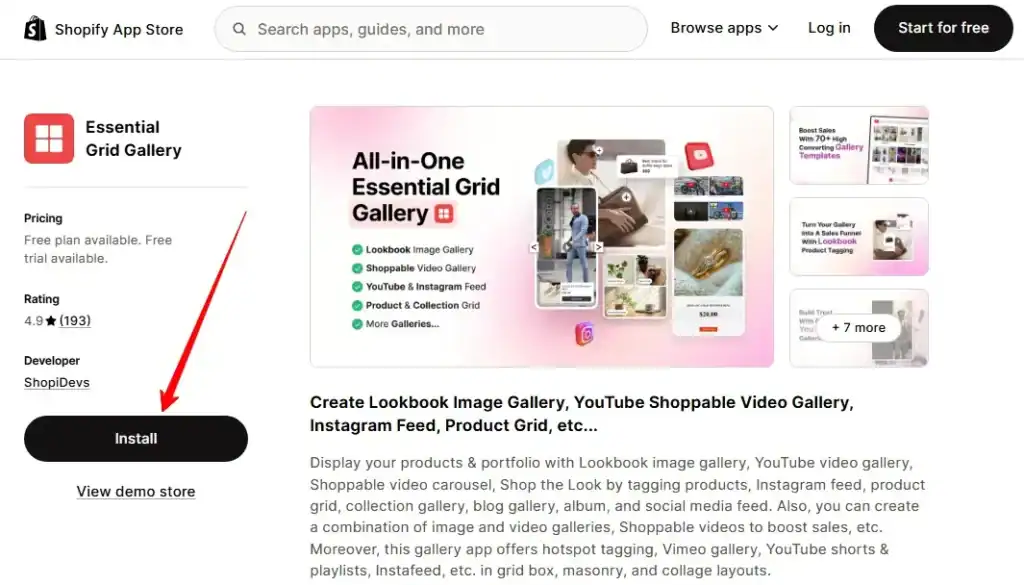
Essential Grid Gallery lets you create beautiful image and video galleries without touching code. And transform those galleries into high-converting visual sections that allow shoppable options.
You can build lookbook image galleries, product/collection grids, Instagram feeds, YouTube galleries, albums, and even shoppable video carousels. Everything works in clean grid, masonry, or collage layouts.
Essential Grid Gallery is one of the best Shopify gallery apps because it converts visuals into sales with brand aesthetics. You can tag products inside lifestyle images, add hotspots, and make videos clickable.
Instead of just showing content, you guide shoppers to make a purchase directly from the gallery.
Key Features:
- Lookbook image and video gallery with product hotspot tagging.
- Integrate the Instagram and YouTube feeds that sync automatically.
- YouTube, Vimeo, Instagram, and Shopify video support.
- SEO-friendly alt tags, lazy loads, and pop-up view, etc.
- Smart Loading with Load More or Infinite Scroll.
- Grid, masonry, and flexible collage layouts.
- Shoppable video gallery and carousel.
- 80+ ready-made gallery templates
Pros:
- Very flexible for both images and videos.
- Great for fashion, portfolio, and product stores.
- Increase engagement with aesthetic design and styles.
- Boost sales with lookbook and shoppable galleries.
- Support social media integration like YouTube, Vimeo, or Instagram.
- Mobile-friendly and fast loading.
- Very Helpful and responsive support team.
Cons:
- The free plan has limited galleries and templates.
- It may require a learning curve for newbies.
Pricing:
- Free – $0.
- Basic – $5.99/month.
- Standard – $12.99/month.
- Business – $29.99/month.
Rating:
4.9 Stars
Reviews:
194+ Reviews
2. EasyBoost: Carousel, Collection
A conversion-focused product gallery and slider app that helps you to increase sales with bundles, countdowns, lookbooks, etc.
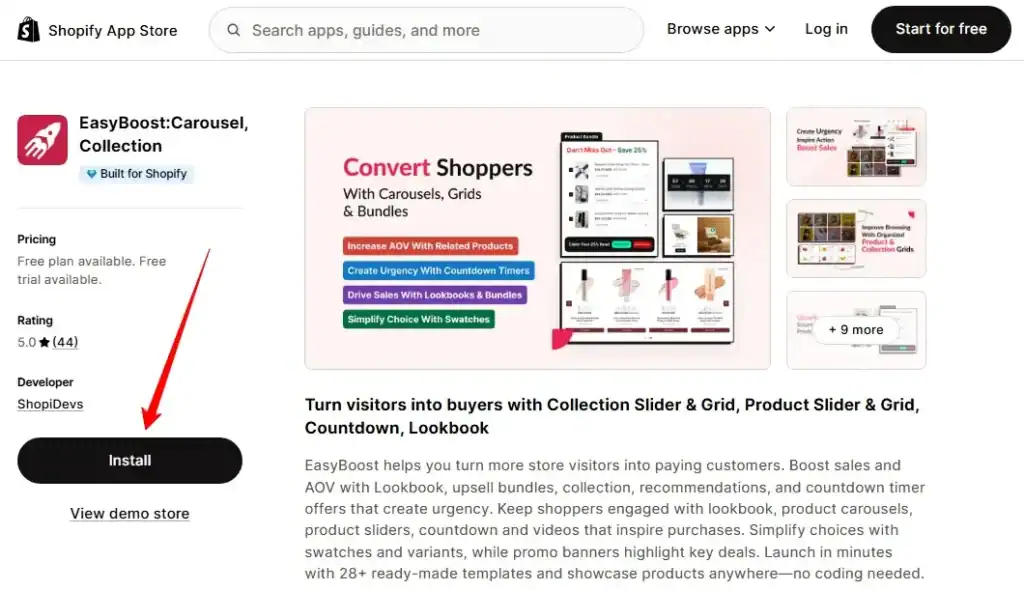
EasyBoost helps you showcase products and collections using sliders, grids, tabs, and lookbooks. You can place them on any page of the Shopify store without coding. It comes with ready-made templates, so you can launch beautiful product gallery sections in minutes.
This app is not just about store design. It is about selling smarter. You can add bundles, related products, relevant products, countdown timers, and sale badges. These features create urgency and increase average order value without slowing down your store.
Key Features:
- Product gallery, sliders, grids, tabs, and lookbooks.
- Collection sliders and grid layouts.
- Countdown timers and sale badges.
- Product bundles, related & recently viewed items.
- Swatches and variant previews.
- Works with review apps like Judge Me, Yotpo, Loox, etc.
Pros:
- Helps increase AOV with bundles and urgency tools.
- Very easy to set up and customize.
- Strong design control (colors, layout, style).
- Works smoothly with collections and variants
- Highly rated support team
Cons:
- The free plan is limited to homepage sections
- Advanced features require the Premium plan
Pricing:
- Free – $0 (limited grid)
- Premium – $9.99/month (Unlimited Everything)
Rating:
5.0 Stars
Reviews:
44 Reviews
3. Uploadify – Customer Gallery
Uploadify is a UGC Gallery app where merchants can collect photos and videos from customers. After collecting testimonials, it will wait for your approval. Once approved, it will be displayed on the storefront as social proof.
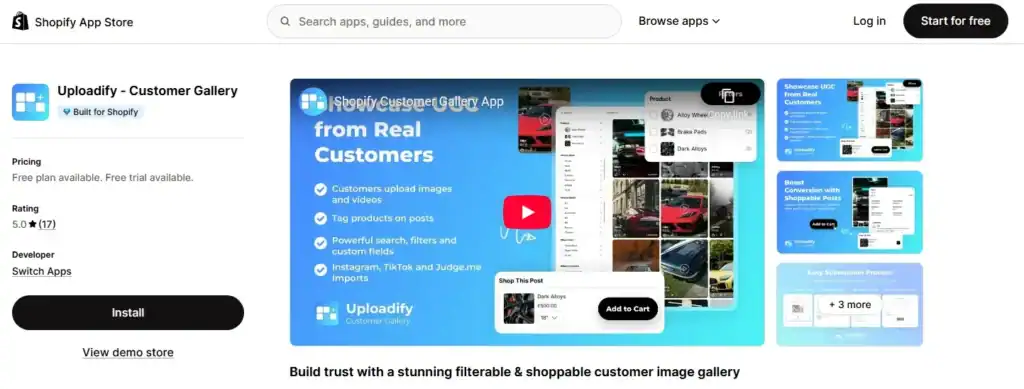
You can create a filterable customer gallery, lookbook, product page gallery, or portfolio. Customers can tag products, and images automatically appear on relevant product pages.
This matters because real customer content builds trust. When shoppers see real people using your products, they feel more confident to buy.
Pro Tip: You can even reward customers with discounts for uploads, which increases engagement and conversions.
Key Features:
- Customers upload images and videos directly to your store.
- You have the control to decline any negative reviews.
- Product tagging inside each customer post.
- Auto-display relevant UGC on product pages.
- Filter by products and custom fields.
- Import content from Instagram, TikTok, and Judge Me.
- Grid and masonry layouts.
Pros:
- Builds strong social proof with real customer photos.
- Shoppable UGC increases product discovery.
- Easy setup with a simple 4-step upload process.
- Works with loyalty and review apps.
- Very responsive and helpful support team.
Cons:
- Free plan limits approved posts.
- You can’t build a gallery; only customers can do that.
Pricing:
- Starter – Free (1 gallery, 10 approved posts)
- Basic – $4.99/month (30 approved posts)
- Premium – $14.99/month (Unlimited galleries & posts, video uploads)
Rating:
5.0 Stars
Reviews:
17 Reviews
4. Nitro Lookbook & Image Gallery
A clean and flexible lookbook app that helps you create shoppable image galleries anywhere on your store.
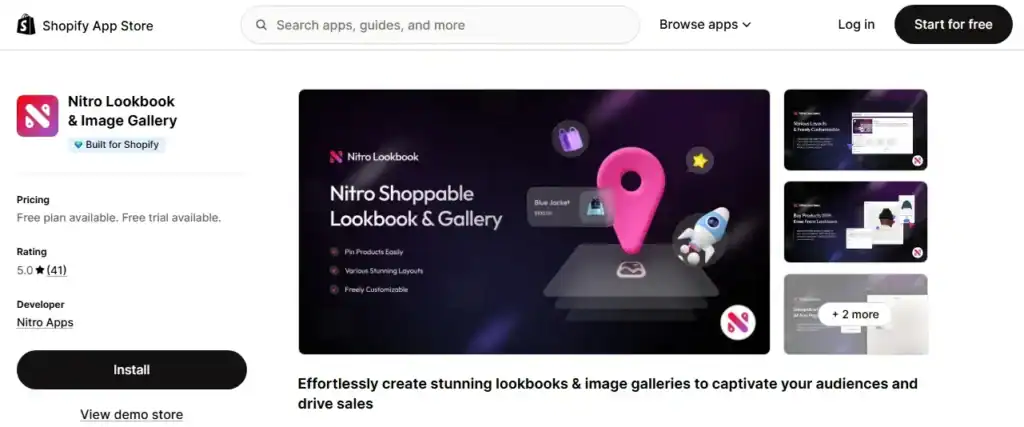
Nitro Lookbook allows you to create interactive lookbooks with minimum effort. Here, customers can click on hotspots to explore and buy products. You can pin products, images, text, and links directly inside lifestyle photos.
This app is perfect for brands that rely on strong visuals. Instead of just showing products, you create a story around them. Shoppable hotspots guide visitors naturally from inspiration to checkout.
Key Features:
- Shoppable lookbooks with product hotspot tagging.
- Pin products, images, text, and custom links.
- Place lookbooks on any page or section.
- Multiple modern layout styles.
- Fully customizable hotspot, tooltip, and button styles.
- Works with any Shopify theme.
Pros:
- Very easy to customize design and layout.
- Unlimited product tagging, even on the free plan.
- Lightweight and fast performance.
- Strong customer support via live chat.
- Great for fashion, decor, and lifestyle brands.
Cons:
- Focused mainly on lookbooks (not video or other galleries).
Pricing:
- Free – 1 active lookbook.
- Pro – $5.59/month (Unlimited lookbooks, no branding).
Rating:
5.0 Stars
Reviews:
41 Reviews
5. EM Lookbook Gallery
This is one of the best Shopify gallery apps for a lifestyle lookbook gallery. It offers transforming a generic lifestyle image into a sales opportunity with a shoppable lookbook.
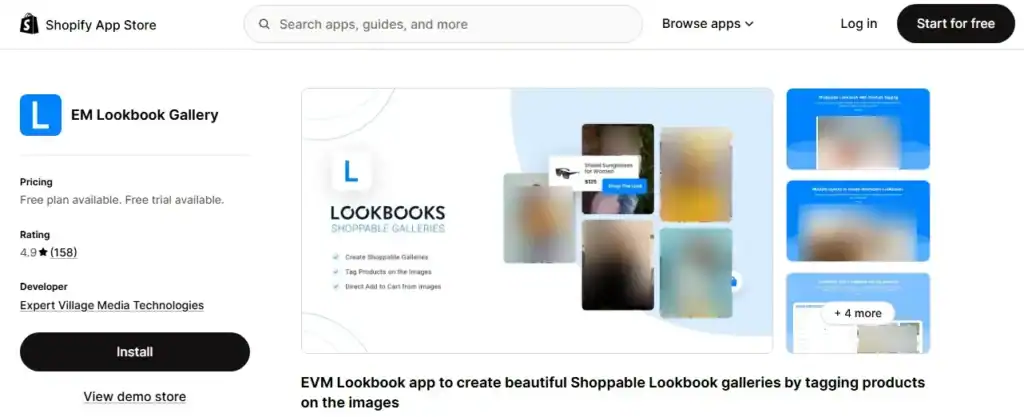
EM Lookbook Gallery lets you create beautiful image galleries with clickable product hotspots. You can place lookbooks on any page, including product pages. This app can automatically show product-specific galleries, which improves shopping flow.
This app is useful for brands that sell visually. Instead of searching for products manually, shoppers click on tags inside photos. This creates a smoother experience and can increase conversions.
Key Features:
- Shoppable lookbooks with product hotspot tagging.
- Bulk image upload for faster setup.
- Collage, Masonry, Grid, Slideshow & Carousel layouts.
- Direct “Add to Cart” from lookbook images.
- Automatic product-specific galleries.
- High-resolution image support.
Pros:
- Easy to set up and manage.
- Strong shoppable tagging system.
- Multiple layout styles for flexibility.
- Works well on product pages.
- Responsive and professional support team.
Cons:
- Page speed may slow down on heavy galleries.
- Limited advanced customization options.
- Cannot link directly to product variants.
Pricing:
- Free – 1 Gallery.
- Basic – $4.99/month (Up to 4 galleries).
- Pro – $12.99/month (Up to 8 galleries + product tagging).
- Business – $29.99/month (25 galleries + multiple galleries per page).
Rating:
4.9 Stars
Reviews:
158 Reviews
6. Instafeed – Instagram Feed
This is a trusted Instagram feed app that turns your social content into shoppable sections on your Shopify store.
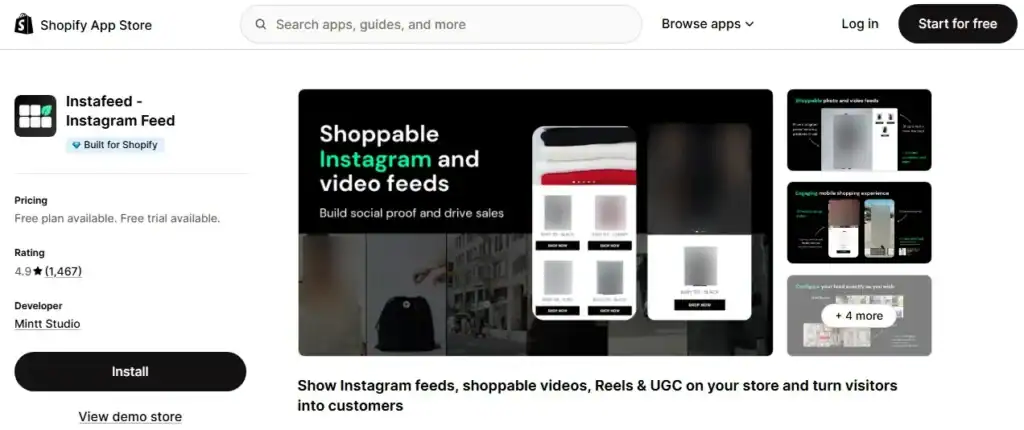
Instafeed helps you to display Instagram posts, Reels, and videos directly on your Shopify store. You can show them in Instagram grid or slider layouts. The app automatically sync latest posts, so your store always shows fresh content from your Instagram account.
This is powerful because social proof builds trust. When shoppers see real photos and videos, they feel more confident. You can tag products inside posts and let customers buy directly from the Instafeed. It makes your Instagram work for your sales.
Key Features:
- Display Instagram posts, Reels, and videos.
- Grid or slider layout options.
- Product and collection tagging.
- Auto-sync with Instagram.
- Hashtag filtering.
- Mobile-optimized design.
- SEO rich snippets (Pro & Plus plans).
- Supports UGC and custom uploads (Plus plan).
Pros:
- Very easy to set up.
- Clean and professional layouts.
- Strong social proof impact.
- High reliability with minimal bugs.
- Responsive and helpful support team.
Cons:
- Manual tagging is needed in lower plans.
- Advanced automation requires a higher tier.
Pricing:
- Starter – Free (Responsive feed, unlimited views).
- Pro – $8/month (Product tagging, up to 3 feeds).
- Plus – $20/month (Unlimited feeds, auto-tagging, analytics).
Rating:
4.9 Stars
Reviews:
1,463 Reviews
7. XO Gallery
XO Gallery is an image gallery app with easy navigation and customization options. So you can easily create a gallery on your store without any coding skills.
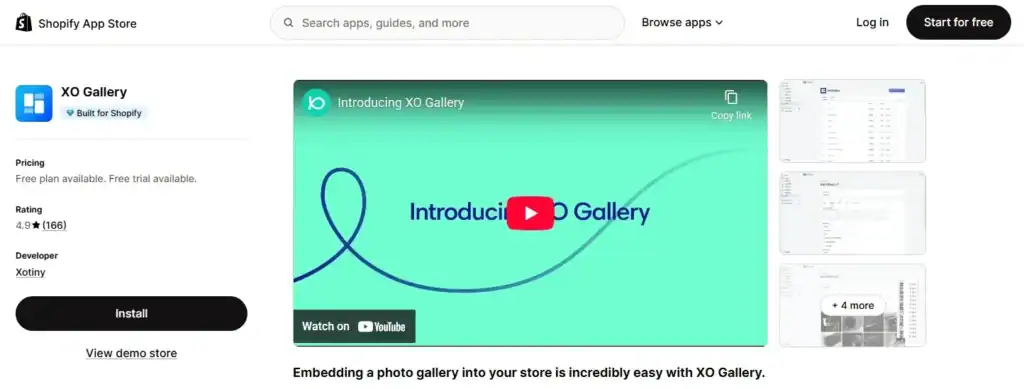
This app lets you create unlimited galleries with grid, masonry, stack, justified, slider, and carousel layouts. Also, the app is designed mobile-first, so galleries look good on any device.
This app is useful for brands that rely on strong visuals. You can tag products inside images, transform product photos into galleries, and adjust layouts for desktop or mobile. It helps improve presentation and makes your store feel more polished.
Key Features:
- Grid, Masonry, Justified, Stack, Slider & Carousel layouts.
- Unlimited galleries and images (paid plans).
- Product hotspot tagging (Pro plan).
- Transform product images into a gallery view.
- Mobile-first responsive design.
- Bulk upload and easy organization.
- Custom layout adjustments for different devices.
Pros:
- Many layout options for creative flexibility.
- Easy to install and configure.
- Strong customization controls.
- Supports hotspot product tagging.
- Responsive and helpful support team.
Cons:
- Free plan limited to 12 images.
- No social media integration.
- Some advanced customization may require support.
- Heavy galleries may affect page speed on some themes.
Pricing:
- Free – Up to 12 images.
- Basic – $5.95/month (Unlimited images & galleries).
- Pro – $14.95/month (Hotspot tagging, 800 videos, advanced features).
Rating:
4.9 Stars
Reviews:
166 Reviews
8. Mintt TikTok Feed
Mint TikTok Feed is another new app of the brand “Mintt Studio,” the developer of the Instafeed. You can display TikTok videos directly to your Shopify store in an engaging way using this app.
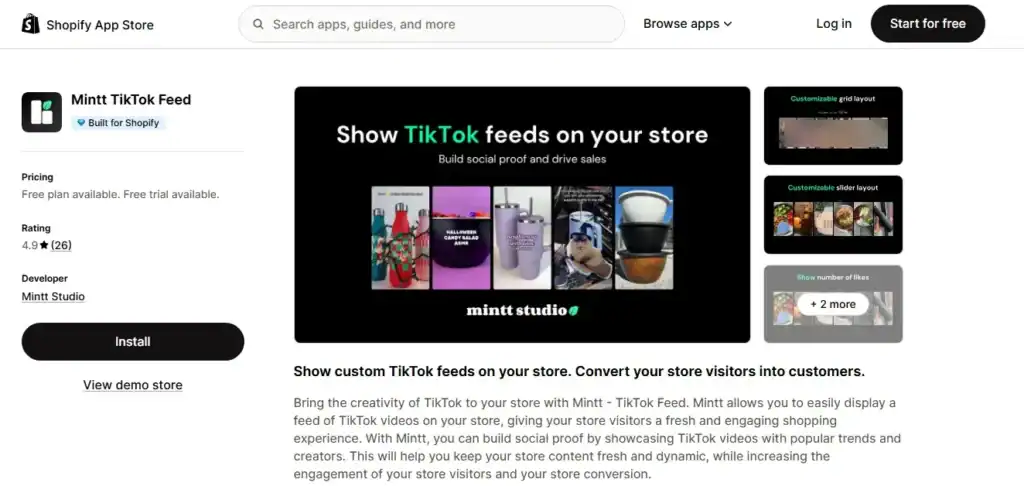
You can display TikTok posts in grid or slider layouts. You will not need to have technical knowledge. Because videos can autoplay, the layout adjusts automatically for desktop and mobile devices.
This app helps you keep your store fresh and trendy. TikTok content feels authentic. When visitors see popular videos or creators using your products, it builds trust. More engagement often leads to more conversions.
Key Features:
- Display TikTok videos in grid or slider format.
- Autoplay video support.
- 1:1 or 9:16 layout options.
- Mobile-specific configurations.
- Multiple feed support (Plus plan).
- Filter posts by hashtags (Plus plan).
- Show likes and comments (Plus plan).
Pros:
- Very easy to set up.
- Clean and modern design.
- Keeps store content dynamic.
- Good social proof impact.
- Fast and responsive support.
Cons:
- Limited customization on the free plan.
- Product tagging is not available.
- Some users mention difficulty selecting specific videos.
Pricing:
Mintt Free – $0 (Autoplay, grid/slider layout).
Mintt Plus – $5/month (Hashtag filtering, unlimited feeds).
Rating:
4.9 Stars
Reviews:
26 Reviews
9. Photo Gallery | Robin PRO
A fast and lightweight photo gallery app that protects your images and keeps your store loading smoothly.
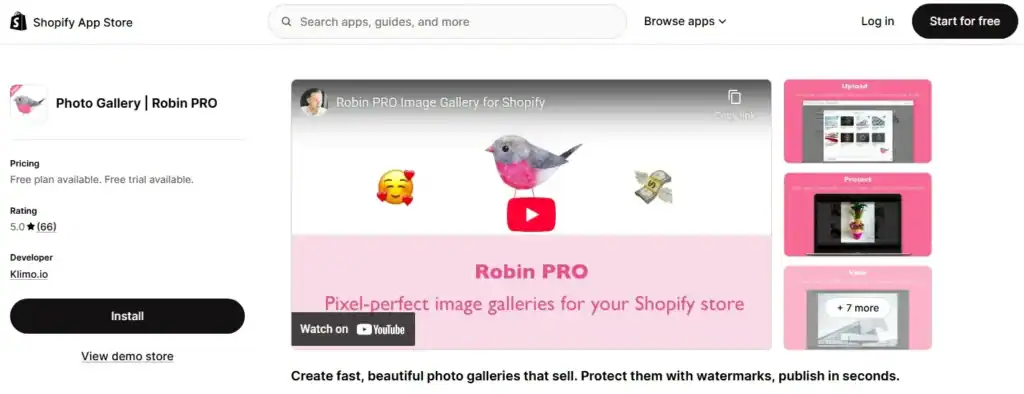
Robin PRO helps you create clean image galleries in grid or masonry layouts. You can upload photos in bulk and publish them in seconds. The app automatically optimizes images, so they load fast on both desktop and mobile.
This app is ideal for artists, photographers, and product brands. You can protect your images with watermarks and right-click protection. You can also link images to products to drive sales directly from your gallery.
Key Features:
- Bulk image upload.
- Grid and masonry gallery layouts.
- Lazy loading and CDN optimization.
- Watermark protection.
- Disable right-click protection.
- Product linking inside galleries.
- SEO-friendly alt tags.
- Mobile-optimized design.
Pros:
- Very simple and beginner-friendly interface.
- Fast loading performance.
- Strong image protection features.
- Clean, professional gallery look.
- Responsive and helpful support team.
Cons:
- Free plan limited to 12 images.
- Focused mainly on image galleries (no video galleries).
- One user reported mobile compatibility issues.
Pricing:
- Free – 12 images (All Pro features for dev stores).
- Pro – $5/month (Unlimited galleries and images).
Rating:
5.0 Stars
Reviews:
65 Reviews
10. Socialwidget – Instagram Feed
A flexible Instagram and TikTok feed app that turns social posts into shoppable galleries on your store.
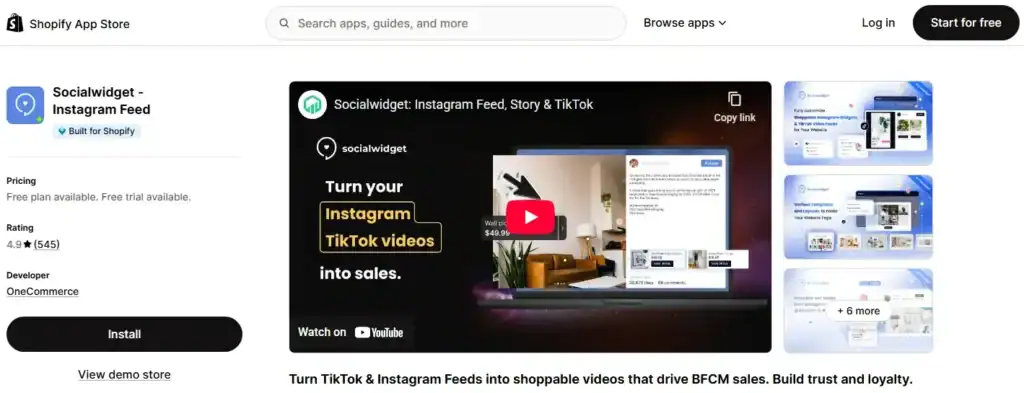
Socialwidget lets you display Instagram photos, videos, and TikTok content directly on your website. You can choose from multiple layouts like grid, carousel, masonry, or lookbook. The feeds update automatically, so your store always feels fresh.
This app helps you build social proof. When shoppers see real posts and tagged products, they trust your brand more. You can tag products and even allow add-to-cart from social content, which makes buying easier.
Key Features:
- Instagram and TikTok feed integration.
- Shoppable product and variant tagging.
- Grid, carousel, collage, and lookbook layouts.
- Auto-sync updates (based on plan).
- Hashtag and public account filtering.
- Add-to-cart button (Professional plan).
- Multi-language and custom CSS support.
- Mobile-responsive templates
Pros:
- Supports both Instagram and TikTok.
- Multiple layout styles for strong visual impact.
- Shoppable tagging boosts conversions.
- Auto-sync keeps content fresh.
- High number of positive reviews.
Cons:
- Free plan limited to 1 widget and 1000 visitors.
- Product tag limits depend on the plan.
- Advanced hashtag discovery requires a higher tier.
Pricing:
- Starter – Free (1 widget, 1000 visitors).
- Standard – $9.90/month (TikTok, autoplay, unlimited visitors).
- Professional – $19.90/month (Add-to-cart button).
- Advanced – $49.90/month (Hashtag discovery, faster sync).
Rating:
4.9 Stars
Reviews:
545 Reviews
Although I have listed 10 of the best Shopify gallery apps here, it actually depends on your store’s goals. Some apps focus on lookbooks and visual storytelling. Others help you use Instagram, TikTok, or customer photos to build trust.
Here are the different types of galleries you can use on your Shopify store:
Different Types of Galleries in Shopify Stores
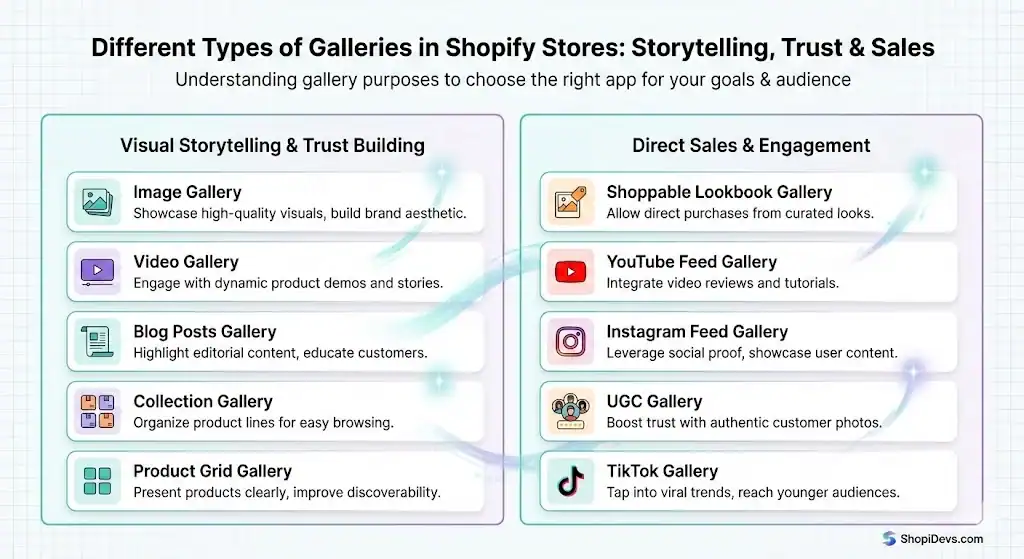
Not all galleries serve the same purpose for a Shopify store. Some focus on visual storytelling to build trust, and others are built to drive direct sales. Understanding the different types of galleries helps you choose the right Shopify gallery app for your store’s goals and audience.
- Image Gallery.
- Video Gallery.
- Shoppable Lookbook Gallery.
- YouTube Feed Gallery.
- Instagram Feed Gallery.
- Product Grid Gallery.
- Collection Gallery.
- Blog Posts Gallery.
- UGC Gallery.
- TikTok Gallery.
Tips for Choosing the Right Gallery App for Your Shopify Store
Choosing the right gallery app can improve your store’s design, speed, and sales. The best app should match your business type, support your goals, and work smoothly with your theme. Here are a few factors you can consider while choosing a gallery app:
- Check Theme Compatibility: Ensure the app integrates seamlessly with your Shopify theme and page builder.
- Focus on Performance: Select apps with lazy loading and image optimization to maintain fast page loading times.
- Look for Shoppable Features: Product tagging and add-to-cart options can increase conversions.
- Review Customization Options: Flexible layouts and design control help match your brand style.
- Consider Pricing vs. Value: Compare features carefully before upgrading to paid plans.
- Read Real Reviews: Look at recent merchant feedback about support and reliability.
Why You Should Choose Essential Grid Gallery for Your Shopify Store
If you want one app that handles images, videos, lookbooks, and social feeds in one place, Essential Grid Gallery is a strong choice. It combines design flexibility with sales-driven features, making it suitable for any type of Shopify store.
Essential Grid Gallery helps you to boost sales with a Shoppable video carousel and image lookbook gallery. Also, you can create YouTube video galleries, Instagram feed, product grid, collections, etc.
You can mix images and videos in the same layout, add hotspot product tags, and guide customers directly to checkout.
Unlike many simple gallery apps, it supports multiple media sources like YouTube, Vimeo, Instagram, collections, blogs, and Shopify media. This makes it ideal for brands that want a visually rich and professional storefront.
It also offers ready-made templates, responsive layouts, and SEO-friendly image settings. Whether you run a fashion store, home décor brand, or product-focused shop, this app helps to present media beautifully and increase conversions.
Conclusion
Now you reached almost the end of the blog post “best Shopify gallery apps”. You are already aware of the top 10 gallery apps that can help you showcase your specific gallery on the store.
I haven’t only suggested the best gallery app for your store, but also explained why and how you should choose the best app. Choosing the best Shopify gallery app depends on what your store truly needs.
If your goal is stronger engagement, better storytelling, and higher conversions, investing in the right gallery app makes a big difference. A well-designed gallery does more than display content. It guides customers, builds trust, and improves the shopping experience.
From UGC galleries to Instagram feeds and product sliders, there are many powerful options available on the app store. Take time to compare features, pricing, and performance before making a decision.
FAQs
1. What Is A Photo Gallery App For Shopify?
A photo gallery app for Shopify is a tool that helps you show images in a clean and organized way on your store. Instead of uploading pictures one by one, you can display them in grids, sliders, masonry layouts, or carousel views.
It makes your store look more professional and easier to browse. Many gallery apps like Essential Grid Gallery also allow you to connect images to products, which helps customers explore and shop more easily.
2. Which Is The Best Photo Gallery App For Shopify?
The best photo gallery app depends on what your store needs. If you only want to show simple image galleries, a basic and lightweight app like EasyBoost is enough. But if you want shoppable lookbooks, video galleries, Instagram feeds, or product tagging, then you need a more advanced app like Essential Grid Gallery. The right choice is the one that matches your business goals, budget, and design style.
3. Any Recommendations For Product Page Image/Gallery Apps?
For product pages, you should choose an app that improves the shopping experience. Look for features like image zoom, lightbox view, product tagging, variant images, and fast loading speed. These features help customers see product details clearly. I can recommend the Essential Grid Gallery, which has all of these features in one app.
4. Can I Create A Gallery Using Video Content As Well?
Yes, you can. Many modern Shopify gallery apps, including Essential Grid Gallery, support video content. You can add YouTube videos, Vimeo videos, Instagram Reels, TikTok clips, or even Shopify-hosted videos. Video galleries help customers see how products look in real life. This builds trust and keeps visitors engaged for a longer time on your store.
5. What Is The Best Shopify Gallery App For The Shopping Experience?
The best gallery app for a shopping experience is one that makes browsing smooth and enjoyable. It should load fast, work well on mobile devices, and allow customers to click on products directly from images or videos.
6. Are There Gallery Apps That Improve The Shopify Customer Experience?
Yes, definitely. There are some best Shopify gallery apps that improve the customer experience by making your store more interactive and attractive. When customers see organized product displays, lifestyle images, and real customer photos, they feel more comfortable. Features like Instagram feeds, UGC galleries, and lookbooks help build trust and make your store feel active and reliable.

Jakaria is an SEO Content Writer in Shopify, Ecommerce, WordPress, and Tech Industry with 5+ years of experience. He specialises in developing engaging, helpful content by simplifying complex topics into an amazing story for B2B, SaaS, and Shopify businesses. He’s also passionate about staying updated on growth marketing strategies and Shopify trends.