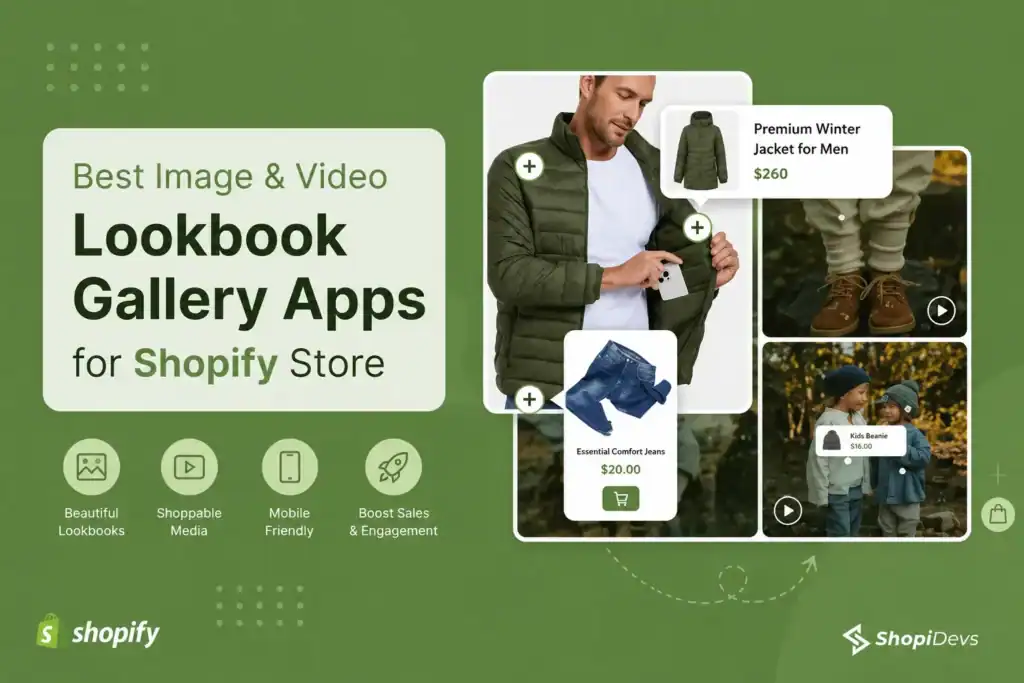
A shopper lands on your Shopify store, sees a beautiful lifestyle image or UGC gallery, feels inspired — and then leaves. Not because they did not like what they saw. Because there was no clear path from the image to the product. An inspiration gallery without a buying path is where intent goes to die.
A Shopify lookbook app fixes this by turning images and videos into shoppable experiences. Hotspot tags let customers click directly on products inside a photo, check prices, and add to cart without ever leaving the gallery. This guide compares the 6 best options available in 2026, with pricing, real pros and cons, and a clear recommendation for each use case.
Quick Answer
Essential Grid Gallery is the best Shopify lookbook app for stores that need a full shoppable gallery with image and video support, hotspot tagging, and flexible layout options. EasyBoost is the best pick for simple Shop the Look sliders with built-in AOV and upsell features. For Instagram and TikTok-driven stores, Socialwidget or MP Instagram Feed are the strongest dedicated options.
All 6 apps listed here have a free plan. Paid plans start from $4.95 to $10/month depending on the app. See the full Shopify lookbook setup guide for step-by-step instructions once you have chosen your app.
Key Takeaways
- Shoppable image content delivers 6.4% higher conversions for clothing and 2.4x more conversions for jewelry (HubSpot)
- A lookbook app adds product hotspot tagging to any image or video on your Shopify store, no code required
- Essential Grid Gallery is the most versatile option: supports images, video, YouTube, Vimeo, and Instagram feeds
- EasyBoost combines Shop the Look with upsell bundles and countdown timers in a single app
- Byte Lookbook and Nitro are good lightweight options for small stores with simple image catalogs
- Video support and mobile performance are the two most important factors to check before installing any lookbook app
higher conversions for clothing stores using shoppable visual content (HubSpot)
more conversions for jewelry brands with shoppable lookbook galleries
higher footwear conversions from shoppable image and video content
Why Shopify Stores Need a Lookbook App
Standard Shopify product pages show one product at a time. A lookbook changes the model: it shows products in context, as part of an outfit, room setup, or lifestyle scene, and lets customers buy directly from that scene. This matters for a few concrete reasons:
- Shorter path from inspiration to purchase: with product hotspot tagging, customers click directly on items inside images rather than navigating to search or collections. Fewer steps means fewer drop-offs
- Higher average order value: lookbooks naturally show products together, which increases the likelihood of customers adding multiple items to cart. This is especially effective for fashion, home decor, and beauty
- UGC becomes revenue: user-generated content is not only social proof. With a shoppable lookbook, every tagged photo from a customer, influencer, or brand shoot becomes a direct sales surface
- More professional store experience: interactive lookbooks give your store the editorial feel that top DTC brands invest in, without custom development or high cost
For fashion, jewelry, furniture, lifestyle, and beauty brands in particular, a lookbook is not optional. It is how the most effective stores on Shopify present their catalog. See how leading Shopify beauty stores use visual galleries to drive discovery and sales.
App-by-App Breakdown
1. Essential Grid Gallery Lookbook App (Best Overall Lookbook App)
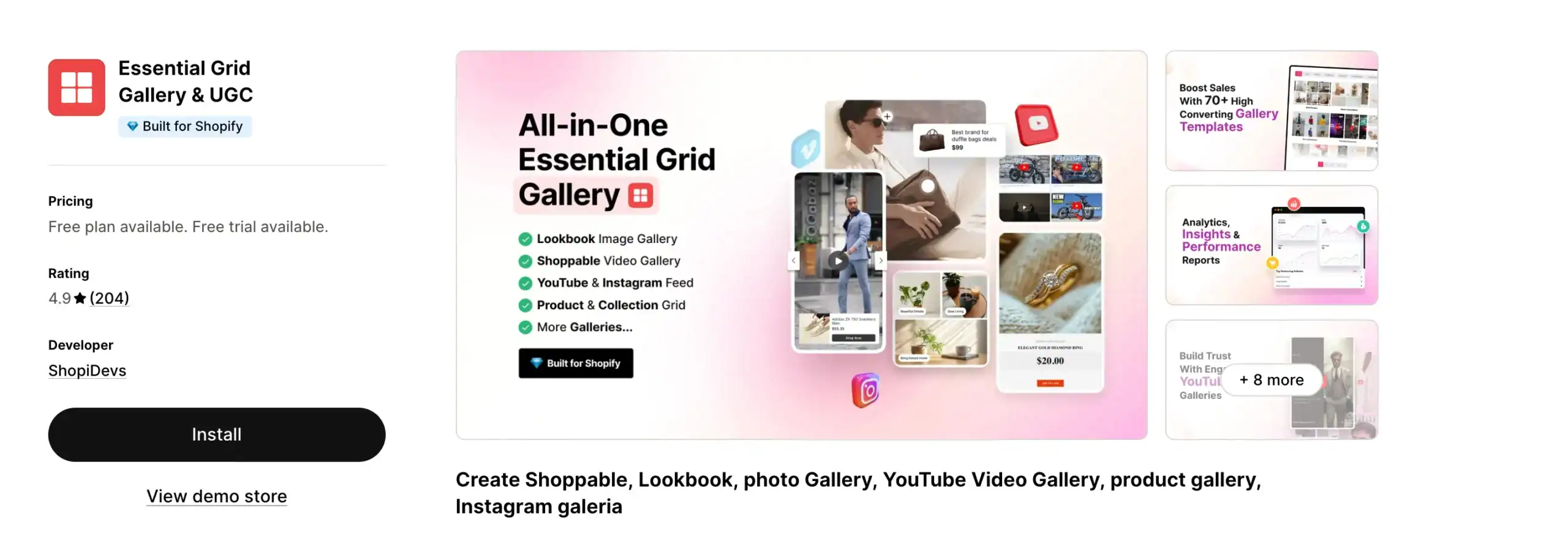
Essential Grid Gallery is the most capable shoppable lookbook app on Shopify. It turns images, videos, Instagram feeds, and Shopify media into fully tagged, shoppable galleries with product hotspots. Customers click on any tagged item inside a photo or video and see the product name, price, and an add-to-cart option without leaving the gallery.
Where most lookbook apps stop at static images, Essential Grid supports YouTube videos, Vimeo, and Instagram feeds alongside your own uploaded content. Grid, masonry, collage, and carousel layouts give you full control over how the lookbook looks. 80+ ready-to-use templates mean you can set up a professional gallery without designing from scratch.
It works on any Shopify 2.0 theme including all free themes. You can add lookbook sections to your homepage, collection pages, product pages, or a dedicated lookbook page. For fashion, lifestyle, furniture, and beauty stores that want a gallery experience comparable to top DTC brands, this is the starting point. See the full Instagram feed gallery setup guide for the social integration workflow.
PROS
- Full video support: YouTube, Vimeo, Instagram Reels
- 80+ lookbook and gallery templates
- Grid, masonry, collage, carousel layouts
- Works on every Shopify 2.0 theme
- Strong support from ShopiDevs team
CONS
- Advanced features require a paid plan
- More options than a beginner may need immediately
Free plan: available (limited galleries) | Basic: $5.99/month | Standard: $12.99/month | Business: $29.99/month | 7-day free trial on paid plans
2. EasyBoost: Carousel, Collection, Shop the Look (Best for AOV and Upsell)
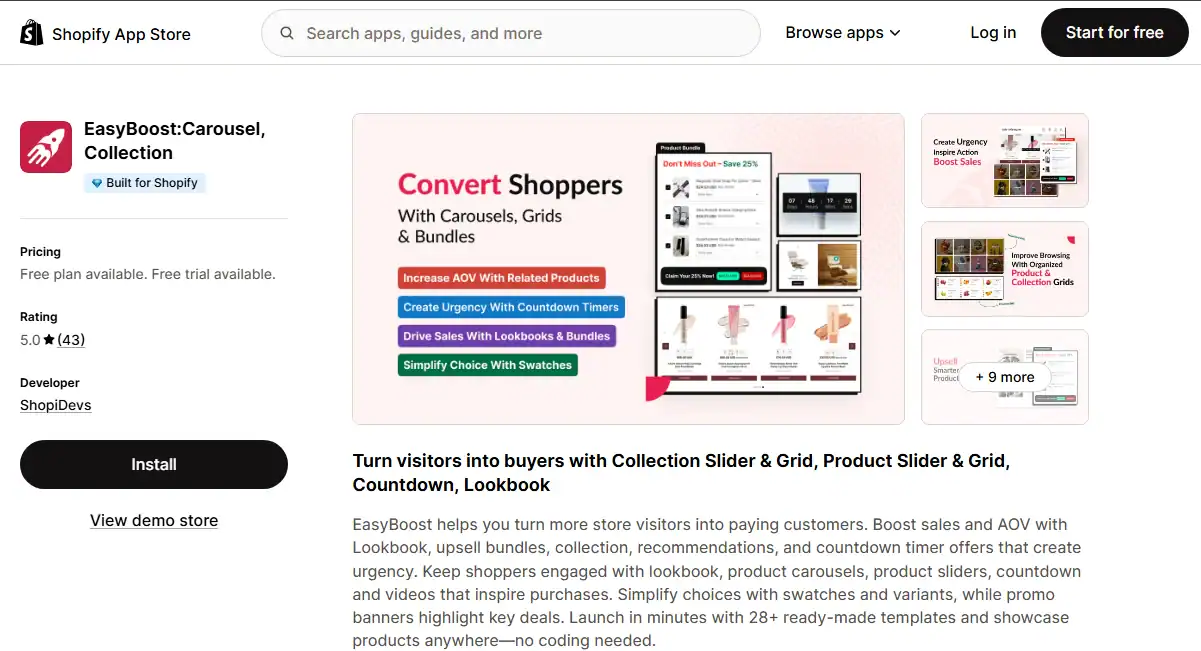
EasyBoost is built for merchants who want Shop the Look functionality alongside a full suite of conversion-rate and AOV tools. It combines image slider lookbooks with upsell bundles, related product carousels, recently viewed sections, countdown timers, and sale badges in a single app. If a dedicated lookbook is only one of several CRO goals you have, EasyBoost handles them all from one place.
The Shop the Look setup is fast: upload an image, tag your products, publish. The result is a clean slider-style lookbook that works on any page of your store. The app is especially effective on product pages, where it shows complementary items from the same shoot alongside the main product, nudging customers toward larger baskets.
PROS
- Shop the Look plus upsell bundles in one app
- Countdown timers and sale badges for urgency
- Very fast setup for the lookbook feature
- Strong focus on AOV growth and cross-sell
CONS
- No video lookbook support
- Lookbook features are more basic than dedicated apps
- No gallery-style layouts
Free plan: available | Premium: $9.99/month | Free trial available on paid plan
3. MP Instagram Feed – Instafeed (Best for Instagram and TikTok Content)
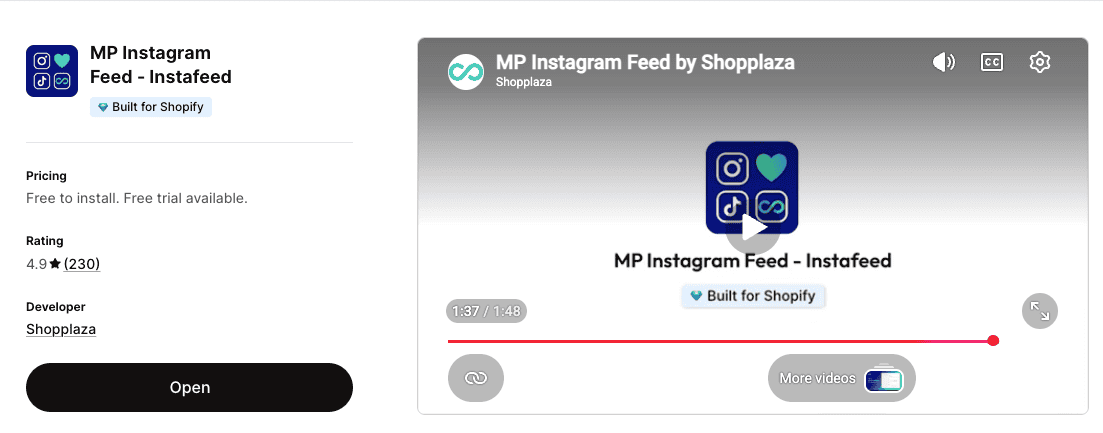
MP Instagram Feed turns your existing Instagram posts, Reels, and TikTok videos into shoppable storefront content. Instead of keeping your social media content locked on social platforms, this app imports it directly into your Shopify store, lets you tag products in each post, and creates a live social gallery that auto-syncs whenever you post something new.
This app makes the most sense for stores that already maintain an active Instagram or TikTok presence. If your feed has lifestyle shots, influencer content, or UGC that features your products, this app converts all of that existing content into a shoppable lookbook with no extra photoshoot required. Layout options include grid, slider, masonry, Stories bar, coverflow, collage, and scattered collage.
PROS
- Auto-syncs Instagram and TikTok content
- Supports Reels, TikTok videos, and UGC with product tags
- Rich layout variety including Stories bar
- Built-in analytics for social post performance
- Multi-account and multi-feed support
CONS
- Dependent on strong Instagram or TikTok content library
- Advanced analytics and unlimited tags require paid plan
- Less useful for stores without active social channels
Free plan: available | Growth: $4.95/month | Pro: $12.95/month
4. Socialwidget ‑ Instagram Feed (Best for UGC-Driven Stores)
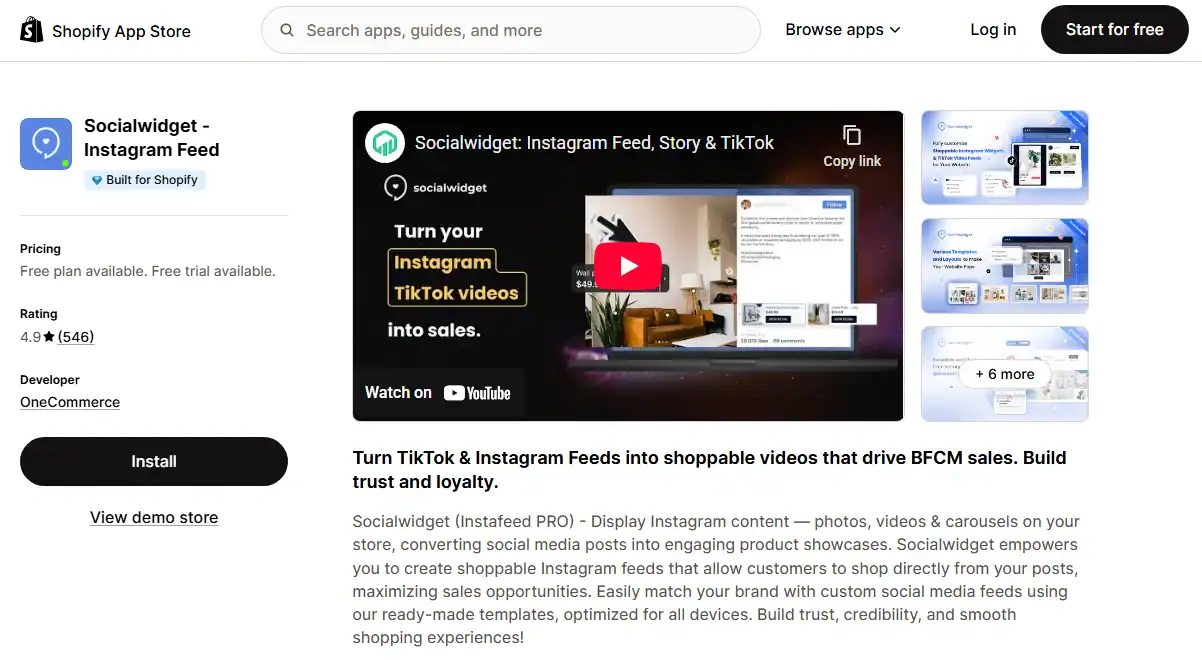
Socialwidget imports Instagram and TikTok content into shoppable lookbook galleries on your Shopify store. The core value proposition is similar to MP Instagram Feed, but Socialwidget leans harder into social proof. It displays likes, comments, and video autoplay alongside product tags, making the gallery feel like a live social feed embedded in your store rather than a static image grid.
It is particularly effective for brands with strong influencer partnerships or UGC programs, where the social engagement numbers (likes, comments) themselves serve as conversion signals. You can connect your Instagram feed and configure auto-sync so the gallery stays current without manual updates.
PROS
- Largest review base of any social feed lookbook app (547+)
- Social proof signals (likes, comments) displayed in gallery
- Auto-sync from Instagram and hashtag feeds
- Wide layout and customization options
CONS
- Occasional Instagram account connection issues reported
- Product tagging can be unreliable at times
- Limited design flexibility for advanced customization
Free plan: available (limited widgets and traffic) | Standard: $9.90/month | Professional: $19.90/month | Advanced: $49.90/month | 14-day free trial
5. Byte Lookbook & Shop The Look (Best for Small Stores and Beginners)
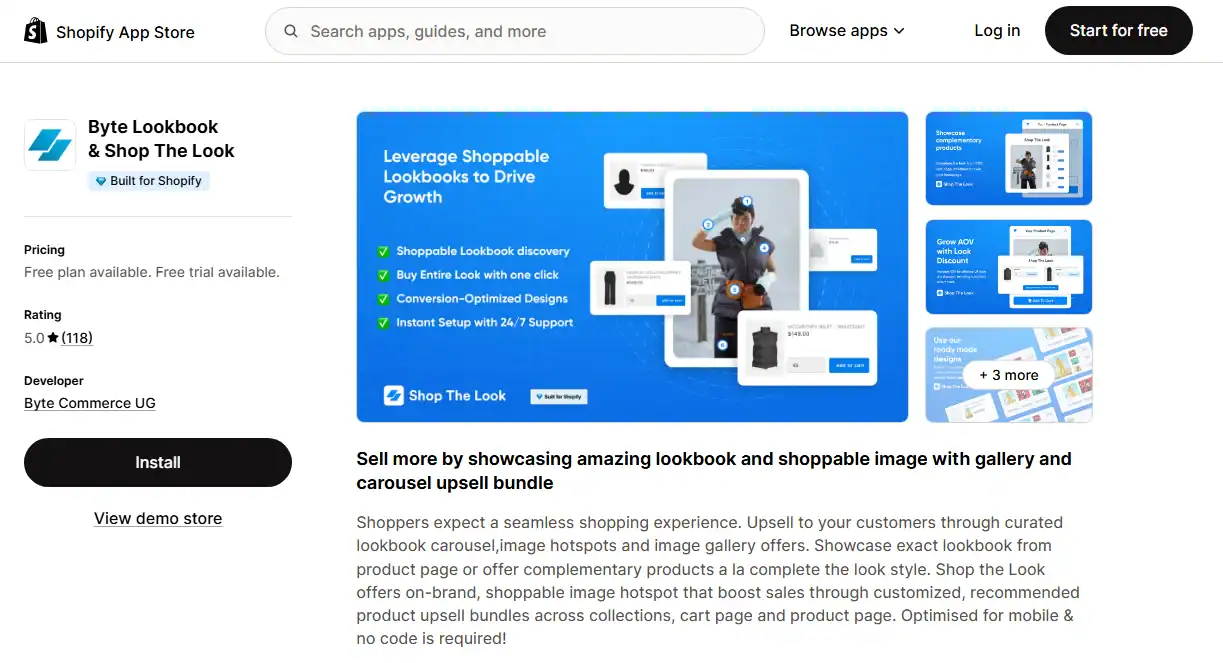
Byte Lookbook focuses on a single thing and does it well: image-based shoppable lookbooks that help customers buy complete looks. The add-all-to-cart feature is a standout — customers can add every tagged product from a single lookbook image to their cart in one click, which is one of the highest-converting interactions in fashion ecommerce.
The setup is simple, the designs are clean, and the pricing is accessible for small stores, including a one-time lifetime deal at $199. If you are launching a single-product Shopify store or a small fashion brand and just want a no-fuss lookbook without video complexity, Byte covers exactly that.
PROS
- Add-all-to-cart from a single lookbook image
- Clean, on-brand designs with easy customization
- Lifetime deal option eliminates monthly fees
- Very beginner-friendly setup
CONS
- Image-only, no video lookbook support
- Limited features on the free plan (1 lookbook)
- Less versatile than gallery-focused apps
Free plan: 1 lookbook, basic features | Growth: $10/month or $75/year | Lifetime: $199 one-time | 7-day free trial on paid plan
6. Nitro Lookbook & Image Gallery (Best Budget Option)
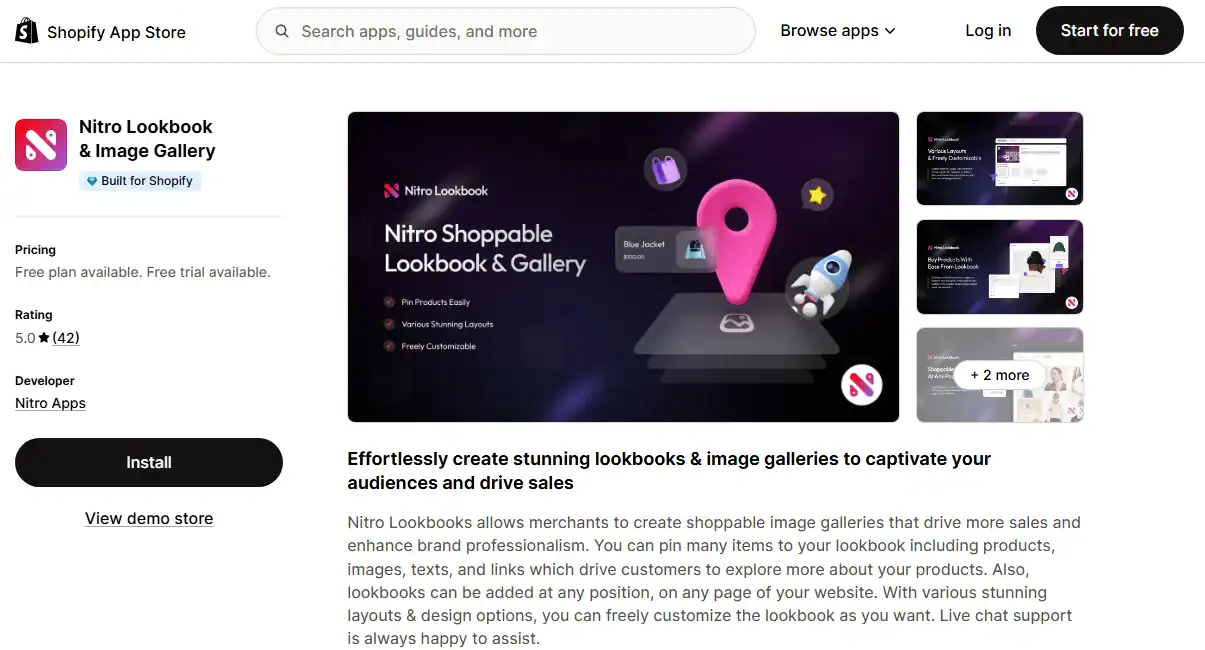
Nitro Lookbook is the lightest option in this list. It lets you upload images, add product pins, and publish a shoppable lookbook to any page on your Shopify store. The hotspot, tooltip, and button styles are all customizable so the lookbook fits your brand without design work. At $5.59/month on the paid plan, it is also the most affordable paid option here.
It is the right choice if you want a simple, low-maintenance lookbook for a small catalog and have no need for video, Instagram integration, or advanced gallery layouts. It does one job cleanly. For stores that need more, one of the top four options will serve better.
PROS
- Easiest setup of any app in this list
- Most affordable paid plan ($5.59/month)
- Works on any page or section
- Customizable hotspot and button styles
CONS
- Image-only, no video support
- Very limited features compared to other options
- Free plan restricted to 1 active lookbook
Free plan: 1 active lookbook, basic features | Pro: $5.59/month or $55.90/year | 7-day free trial
How to Choose the Right Shopify Lookbook App
Every app in this list covers the lookbook basics. The differences show up in five specific areas:
- Do you need video support: If your catalog includes video content, Instagram Reels, or YouTube embeds, you need Essential Grid Gallery, MP Instagram Feed, or Socialwidget. Byte, Nitro, and EasyBoost are image-only. Video lookbooks have significantly higher engagement than image-only galleries, particularly for fashion and beauty stores.
- Is Instagram or TikTok your primary content source: If your best content lives on social media, choose MP Instagram Feed or Socialwidget. They pull content directly from your accounts, add product tags, and auto-sync so you are not manually uploading photos. For stores with brand-shot images hosted on Shopify, Essential Grid Gallery is more suitable.
- Do you want upsell and AOV features alongside the lookbook: EasyBoost is the only app that combines Shop the Look with upsell bundles, countdown timers, and recently viewed carousels. If you want multiple CRO features without installing separate apps, EasyBoost handles them in one place. See how it compares to a dedicated Shopify product slider and image carousel approach.
- How large is your store and catalog: Small stores with simple catalogs and no video content will get what they need from Byte or Nitro at a lower cost. Growing stores with visual-heavy catalogs, multiple collection pages, and an active social presence should start with Essential Grid Gallery.
- How important is mobile performance: All six apps are responsive, but check the mobile preview on your specific theme before committing. Lookbooks with multiple hotspot tags and high-resolution images can affect page load on mobile if not optimized. Use properly sized images per the Shopify image size guide and enable lazy loading if the app supports it.
One more thing: whichever app you choose, make sure your theme supports app blocks in the section editor. All Shopify 2.0 themes, including all free Shopify themes , do. If you are on an older theme, you may need to manually paste embed code into your theme files. The lookbook setup guide walks through both methods.
Everything built in. No apps to install.
Bundles, promos, a shoppable lookbook and a mega menu ship with the theme. Five EU languages, one-time payment, lifetime updates — and no monthly app fees eating your margin.
Get Snazzy →
Frequently asked questions
What is a Shopify lookbook app?
A Shopify lookbook app adds product hotspot tagging to images and videos on your store. When a customer clicks or taps on a tagged item in a photo, they see the product name, price, and an option to add it to cart or visit the product page, without leaving the gallery. It creates a “Shop the Look” experience that shortens the path from visual inspiration to purchase.
Which is the best Shopify lookbook app for fashion stores?
Essential Grid Gallery is the strongest option for fashion stores because it supports image galleries, video lookbooks, and Instagram feeds in one app, with flexible layouts including masonry and collage that suit editorial fashion content. Byte Lookbook is a good alternative for smaller fashion brands that need image-only lookbooks with an add-all-to-cart feature. For stores with active Instagram accounts, Socialwidget or MP Instagram Feed convert social content directly into shoppable storefronts.
How do I create a lookbook on Shopify?
The easiest method is to install a lookbook app, upload your lifestyle or editorial images, tag the products that appear in each image using the hotspot tool, then publish the gallery to your chosen page. Most apps take 20-30 minutes to set up for the first lookbook. See the detailed Shopify lookbook creation guide for a step-by-step walkthrough using Essential Grid Gallery.
Can I add a lookbook to a free Shopify theme?
Yes. All 6 apps listed here are compatible with every Shopify 2.0 theme, including all free themes (Dawn, Crave, Sense, Craft, and others). You add the lookbook as an app block through the Shopify theme editor, no code required. For a complete overview of free theme options, see the best free Shopify themes guide.
Do Shopify lookbook apps work on mobile?
All apps in this list are mobile-responsive. However, mobile performance depends on your image sizes and the number of hotspot tags per image. Compress product and lifestyle images to under 500KB in WebP format before uploading, and limit hotspot tags to 3-5 per image to keep the interface clean and fast on small screens.
Ready to Build Your Shoppable Lookbook?
Essential Grid Gallery is the most versatile Shopify lookbook app: image and video support, hotspot tagging, 80+ templates, and compatibility with every Shopify theme.

Jakaria is an SEO Content Writer in Shopify, Ecommerce, WordPress, and Tech Industry with 5+ years of experience. He specialises in developing engaging, helpful content by simplifying complex topics into an amazing story for B2B, SaaS, and Shopify businesses. He’s also passionate about staying updated on growth marketing strategies and Shopify trends.