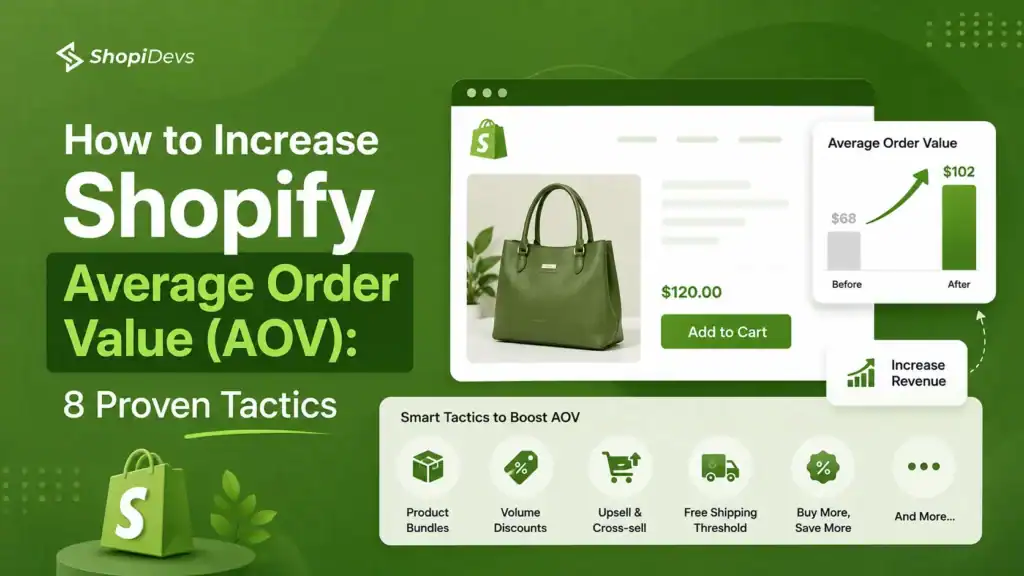
Getting more traffic is the expensive fix. Getting existing customers to spend more is the efficient one.
The average Shopify store converts at 1.4%. That means 98.6% of visitors leave without buying. Of those who do buy, most take only one item. Your AOV is the lever most store owners ignore while pouring budget into ads that bring in the same low-value orders.
A 20% increase in AOV on 500 monthly orders at $60 each adds $6,000 in revenue monthly, with zero additional ad spend.
These 8 tactics show you exactly how to get there.
Shopify average order value (AOV) is the average amount a customer spends per order. Calculate it by dividing your total revenue by the total number of orders. For example, if your store generates $10,000 from 100 orders, your AOV is $100.
The fastest ways to increase Shopify AOV are to set a free shipping threshold about 20% to 30% above your current AOV, create product bundles, and display relevant upsell or cross-sell offers before checkout using an app like EasyDisplay Product Showcase.
- AOV formula: Total Revenue ÷ Total Orders. Shopify displays this automatically in Analytics → Dashboards.
- Typical Shopify AOV ranges from $85 to $110 depending on industry. Premium and luxury stores generally achieve much higher averages.
- Product bundles are one of the fastest ways to increase AOV because they encourage shoppers to purchase complementary products together.
- Set your free shipping threshold 20% to 30% above your current AOV to encourage customers to add more products before checkout.
- Product-page upsells usually outperform post-purchase offers because customers are still making buying decisions before clicking Add to Cart.
- Improving AOV increases revenue without increasing traffic, making it one of the highest ROI ecommerce optimization strategies.
- Implementation order matters: Start with free shipping thresholds and bundles, then add product recommendations, checkout upsells, and quantity discounts as your store grows.
What Is Shopify Average Order Value and Why It Is the Fastest Growth Lever
Most Shopify merchants obsess over two numbers: traffic and conversion rate. Both matter. But neither of them tells you how much each buying customer is actually worth to you. That is what average order value tells you. And that is the number most stores ignore until they run out of budget to buy more traffic.
What is average order value in Shopify?
Average order value (AOV) is the average dollar amount a customer spends each time they place an order in your store. Shopify tracks it automatically. The formula is:
Example: Your store made $15,000 last month from 150 orders. Your AOV is $100. If you can raise that to $120, you earn $3,000 more without acquiring a single new customer.
To find your AOV in Shopify: go to Admin, then Analytics, then Dashboards. Average Order Value appears as a default metric in the overview panel. You can filter by date range, channel, or customer segment.
What is a good average order value on Shopify?
The global Shopify average sits between $85 and $110 per order (Littledata Shopify Benchmarks, 2026). But that number hides a lot of variation. Industry, product price point, and customer segment all shift the number significantly.
If your AOV is below the benchmark for your category, that is a signal. Not a crisis. But a clear sign that upsell, cross-sell, or bundle opportunities are going untapped.
For a deeper look at how your store’s conversion rate relates to AOV, see ShopiDevs’ guide on Shopify conversion rate optimization.
Why increasing AOV beats acquiring new customers
Customer acquisition costs (CAC) have risen 60% over the last five years (Digital Commerce 360, 2026). Paid ads cost more. Organic reach is harder. The average cost to acquire a new Shopify customer now runs $28 to $95 depending on the niche.
Increasing AOV costs almost nothing. The customer is already in your store. They already trust you enough to buy. Getting them to add one more item, or choose a larger size, requires no additional ad spend. Every dollar of AOV increase on the same traffic is pure margin improvement.
over 5 years
(Littledata, 2025)
bundling in 90 days (Shopify)
The most profitable path to increasing your Shopify revenue is not always more traffic. Sometimes it is simply asking your existing buyers to buy more. That is what AOV optimization does.
Shopify AOV Benchmarks: How Does Your Store Compare?
Here is how average order values break down by industry across Shopify stores in 2026. If your AOV trails your category benchmark, you have a clear upsell or bundle opportunity that is being left untouched.
Average Order Value by Industry (Shopify, 2026)
Source: Littledata Shopify Benchmarks, 2026. Global Shopify average: $85 to $110.
Three patterns stand out in this data. First, physical goods with high perceived value (jewelry, electronics) carry naturally higher AOVs. Second, consumable categories (food, beauty) have lower AOVs but higher repeat purchase rates. Third, fashion and apparel stores have the biggest untapped bundle and cross-sell opportunity because multi-item outfits are a natural customer behavior.
“35% of Amazon’s revenue comes from its recommendation engine. For Shopify merchants, product recommendations are the closest equivalent. Most stores underuse them.”
McKinsey and Company
If Amazon’s recommendation engine drives more than a third of its revenue, and your Shopify store has no upsell or cross-sell widget, you are starting every order at a structural disadvantage. The tactics below close that gap.
8 Strategies to boost Shopify Average Order Value
These 8 strategies work independently, but the highest-AOV stores typically run 3 to 4 of them simultaneously. Start with the ones that match your current catalog and customer behavior, then layer in the rest.
1. Product Bundles and Kits
A product bundle is two or more items sold together at a price lower than buying each separately. The customer gets a deal. You get a higher cart value and lower cost per item shipped. Both sides win.
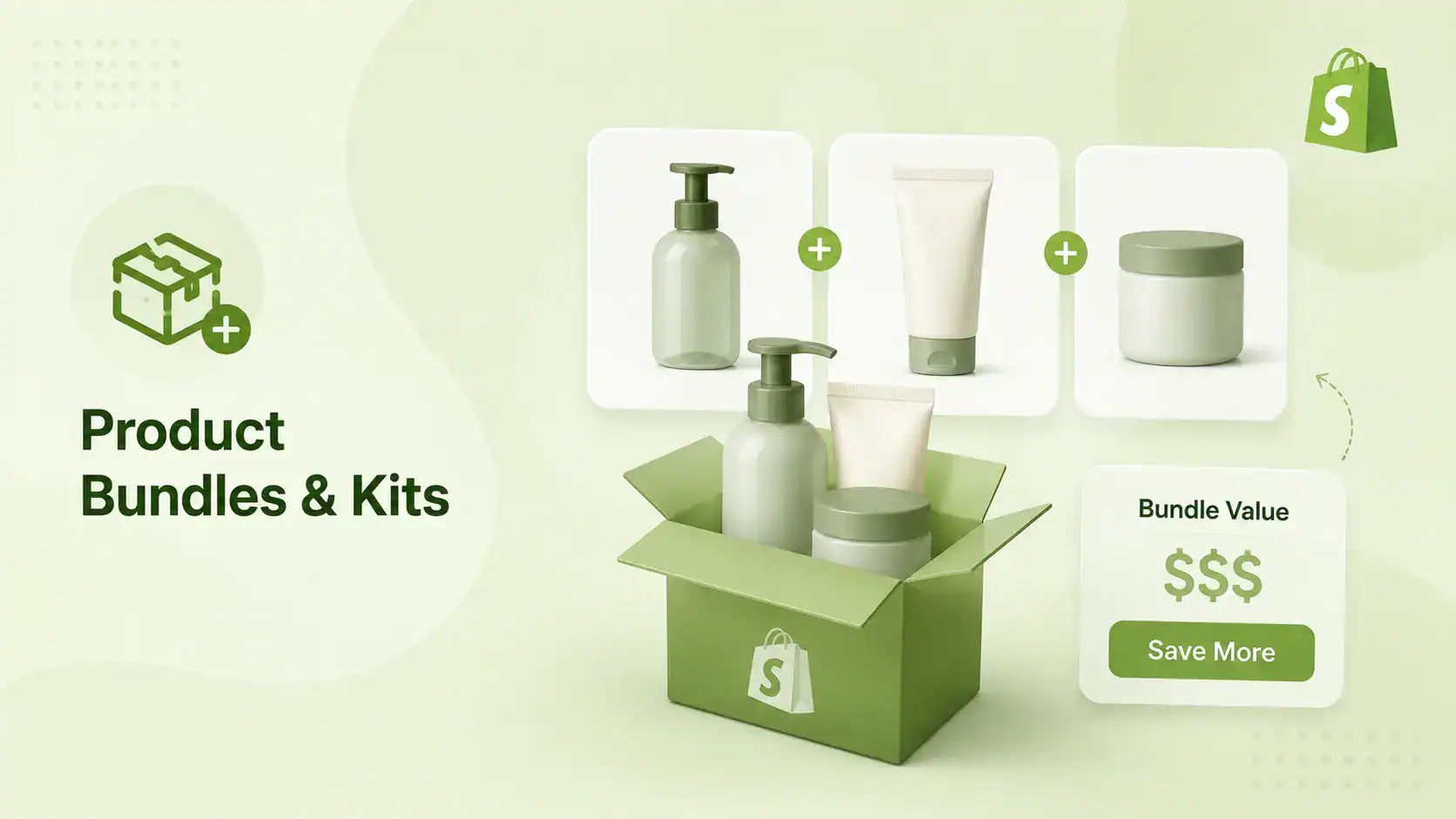
Shopify merchants using product bundling see an average 20% AOV increase within the first 90 days (Shopify published merchant case studies). The mechanic is simple. When a customer sees a bundle, the math does the work. “$65 for these three items together versus $90 if you buy them separately” is a decision most customers make in seconds.
Three bundle types work well on Shopify:
- Fixed bundle: Curated product set at a set price. Works best for gift sets and starter kits. Example: a skin care store bundling cleanser, toner, and moisturizer as a “Morning Routine Kit” at $49 instead of $65.
- Mix-and-match bundle: Customers pick N items from a category. Works for fashion (build your outfit), food (pick any 3 flavors), and supplements (create your stack).
- Tiered bundle: Buy 2 save 10%, buy 3 save 15%. Works for consumables and anything customers buy in multiples.
Use strong product photography when presenting bundles. A flat-lay image showing three products styled together outperforms a plain product listing every time. If you use social proof near the bundle listing, reviews from customers who bought the bundle add the final push.
Bottom line: Bundles are the highest-leverage AOV tactic for early-stage Shopify stores because they require no additional traffic, no complex app setup, and they ship in the same orde
2. Upsell at the Product Page
An upsell is when you show a customer a better version of what they are already viewing. They are looking at a 250ml bottle. You show them the 500ml bottle for $8 more. Many will upgrade. That upgrade is pure AOV gain.
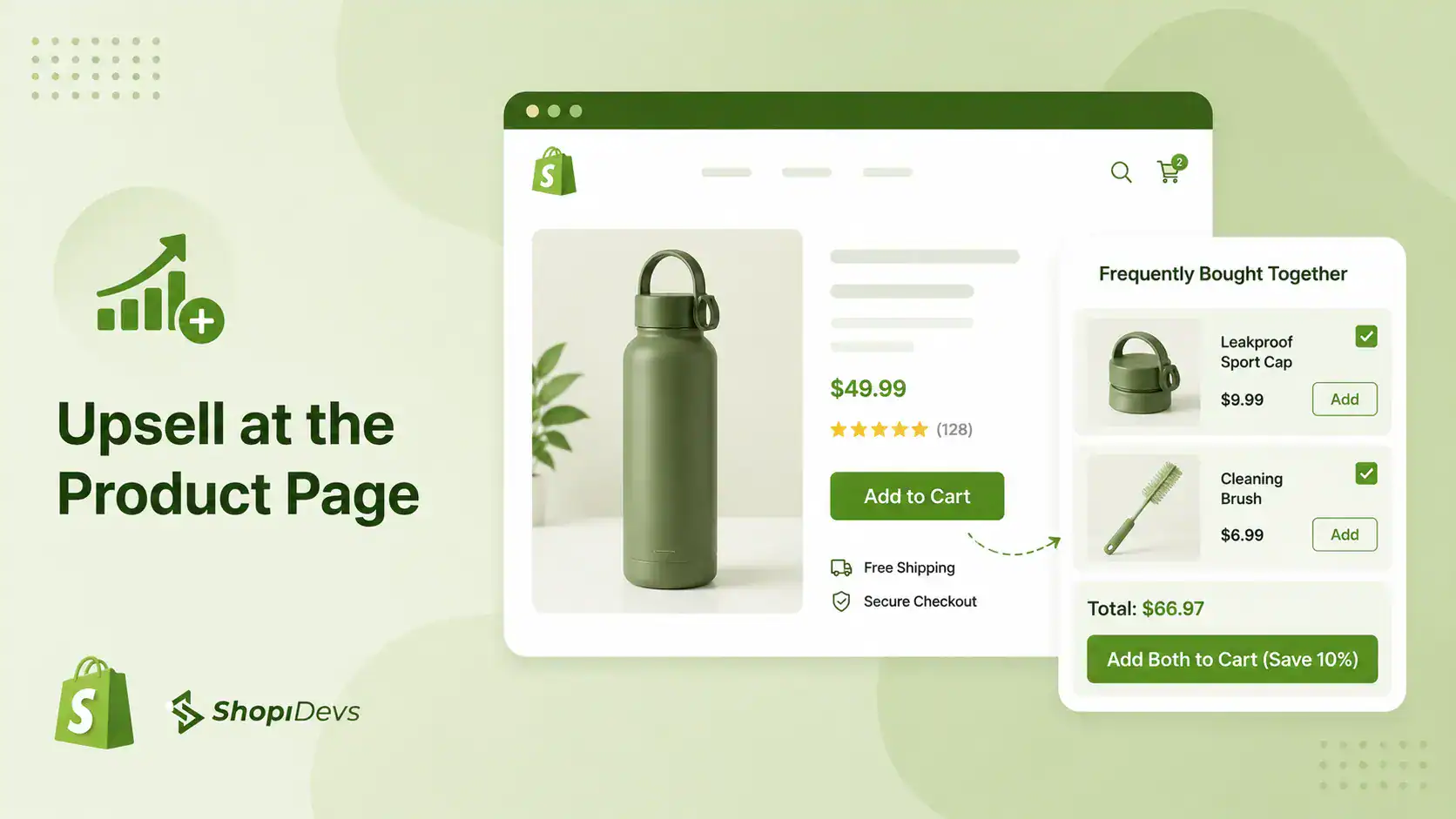
The key is placement. Put the upsell on the product page, before they add to cart. Post-cart upsells convert 2 to 3 times worse than product-page upsells (Baymard Institute, Large-Scale Checkout Usability Study, 2023). The moment a customer adds to cart, their brain shifts to checkout mode. They are focused on completing the purchase, not on adding more. Catch them while they are still in discovery mode.
To set up an upsell in Shopify, you need an app. Shopify’s native product editor does not include upsell widget functionality. EasyBoost adds a product-page upsell block that shows a higher-value alternative directly below the product title. See how it works on the best upsell apps for Shopify comparison.
“The most effective upsell placement is on the product page, before the customer adds to cart. Post-cart upsells see 2 to 3 times lower conversion than product-page upsells.”
Source: Baymard Institute, Large-Scale Checkout Usability Study, 2023
EasyBoost: Upsell, Cross-Sell, Bundles, and Carousels
EasyBoost adds product page upsell widgets, frequently bought together blocks, and bundle displays to your Shopify store. It takes minutes to set up and requires no coding. Unlike Rebuy (starting at $99/month), EasyBoost includes a free plan plus a full-featured Premium plan for just $9.99/month. Rated 5.0 stars by 42+ verified Shopify merchants.
Try EasyBoost FreeAlso check your recently viewed products section. Customers who browse multiple products before buying have higher purchase intent. Showing recently viewed items on the product page keeps those options visible without cluttering the page.
Bottom line: Product-page upsells are the highest-converting upsell placement in ecommerce. Set them up on your top 10 SKUs first, measure for two weeks, then expand.
3. Cross-Sell in the Cart
Cross-selling is different from upselling. An upsell replaces the product with a better version. A cross-sell adds a complementary product to what the customer already has. They add running shoes to their cart. You show them running socks. That is a cross-sell.
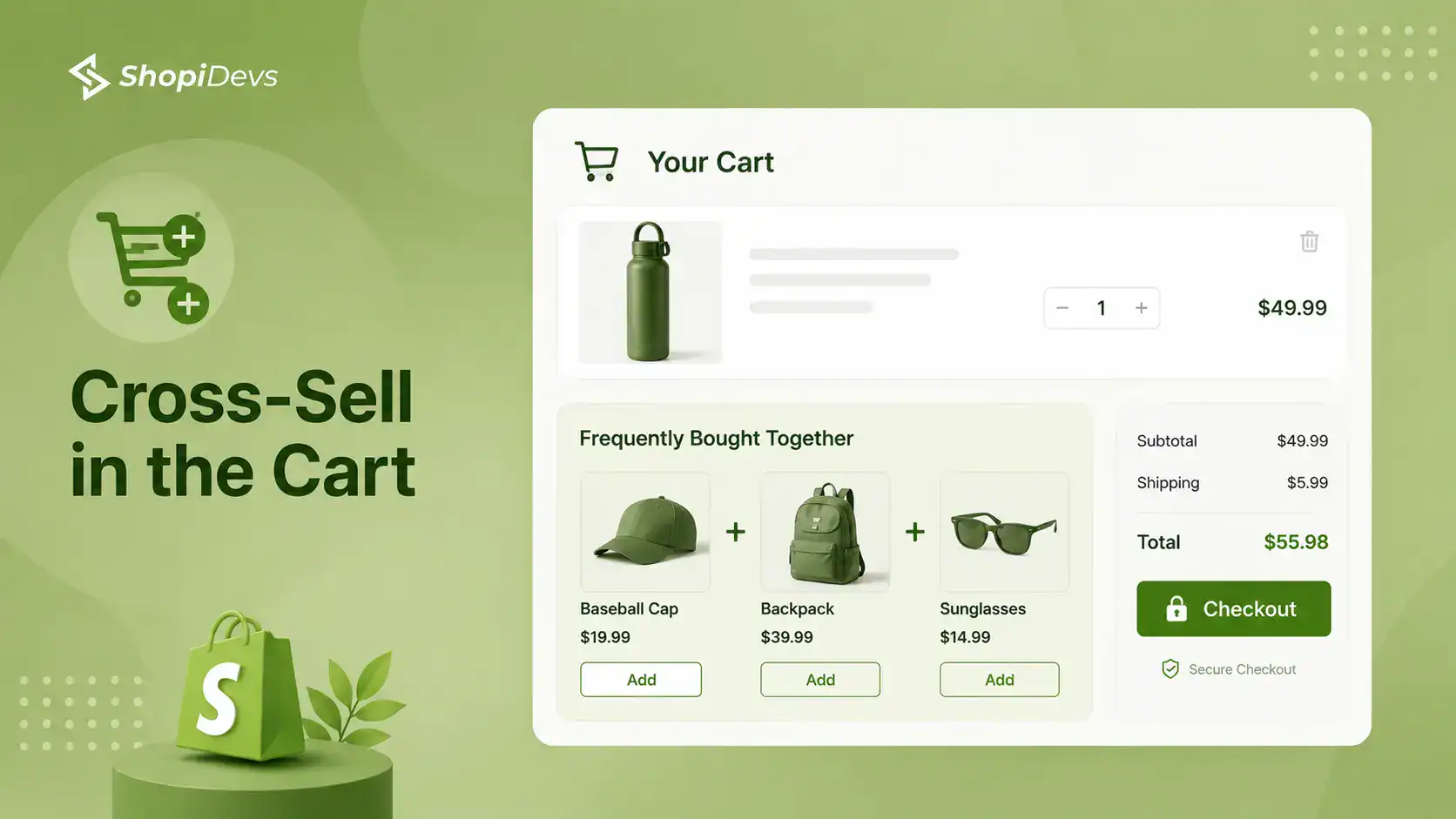
Cross-sells placed in the cart convert 4 times better than cross-sells placed anywhere else in the store (Shopify research). The reason is timing. A customer who has already added to cart has already decided to buy. Their guard is down. Showing one relevant add-on at this moment, at a low price, often gets a yes.
The “Frequently Bought Together” format is the most effective cross-sell layout for Shopify. It shows 2 to 3 related products with a combined price and an “Add All to Cart” button. EasyBoost includes this block natively. You set the rules once and EasyBoost handles the display.
Three cross-sell rules that work across most Shopify niches:
- Same problem, different angle: Customer bought a coffee maker. Show coffee beans. Same morning routine, different product.
- Protection or maintenance: Customer bought a leather bag. Show leather conditioner. The accessory extends the life of the main product.
- Size up or resupply: Customer bought a 30-day supplement supply. Show the 90-day bundle. Lower cost per unit, higher cart value.
Avoid irrelevant cross-sells. If a customer buys a kitchen knife and you show them kitchen towels, that is a weak connection. If you show them a knife sharpener or a cutting board, the connection is obvious. Relevant cross-sells convert. Irrelevant ones annoy.
“Merchants who use product bundling see an average 20% increase in average order value within the first 90 days.” The same pattern holds for cross-sell setups on high-traffic product pages. Stores that add a Frequently Bought Together block to their top 10 products see measurable AOV movement within two weeks of setup.
Source: Shopify published merchant case studies and ShopiDevs app store data, 2025
Bottom line: Cart cross-sells are the most under-used high-conversion opportunity in Shopify stores. One well-placed “Frequently Bought Together” block on your top product pages will show measurable AOV results within days.
4. Free Shipping Threshold
A free shipping threshold is a minimum order amount customers must reach to qualify for free shipping. It is the simplest AOV tactic on this list. And it is consistently the fastest to show results.
Stores using free shipping thresholds set 20 to 30% above their current AOV see 15 to 25% AOV lifts within two weeks (Red Stag Fulfillment, 2026). The behavioral mechanic is clear: 58% of customers will add more items to their cart specifically to qualify for free shipping (Baymard Institute). You are not convincing them to spend more. You are giving them a reason to finish what they already want to do.
The math for setting your threshold:
- Current AOV: $80
- Add 25%: $80 x 1.25 = $100
- Set free shipping at $100
Now display a progress bar in your cart drawer showing “You are $X away from free shipping.” This makes the threshold visible and actionable. Customers who see the bar add more items 58% of the time (Baymard). Customers who do not see it have no reason to act.
To set up the threshold, go to Shopify Admin, then Settings, then Shipping and Delivery. Under “Shipping rates,” add a condition-based rate set to “Free” when the order total exceeds your threshold amount.
To announce the threshold prominently across your store, use a promo banner. Slider Revolution lets you add an animated announcement bar at the top of your store, on every page, with a countdown or dynamic message tied to cart contents. That banner keeps the offer visible from the moment a customer lands.
Slider Revolution: Promo Banners That Announce Your Free Shipping Offer
Slider Revolution adds branded announcement bars, hero banners, and full-page promotional sliders to your Shopify store. Use it to keep your free shipping threshold visible on every page so customers always know how close they are to qualifying. Rated 4.9 stars by 171+ Shopify merchants. Free plan available; paid plans from $4.99/month.
Try Slider Revolution FreeBottom line: The free shipping threshold is the single lowest-effort AOV tactic available to a Shopify merchant. Set it today. Add a progress bar. Results appear in days.
5. Volume Discounts and Buy More Save More
Volume discounts reward customers for buying in quantity. Buy 2 save 10%, buy 3 save 15%, buy 4+ save 20%. The customer gets a better price per unit. You get a higher total order value. For consumables and repurchasable products, this tactic is especially powerful because customers already plan to buy more eventually.
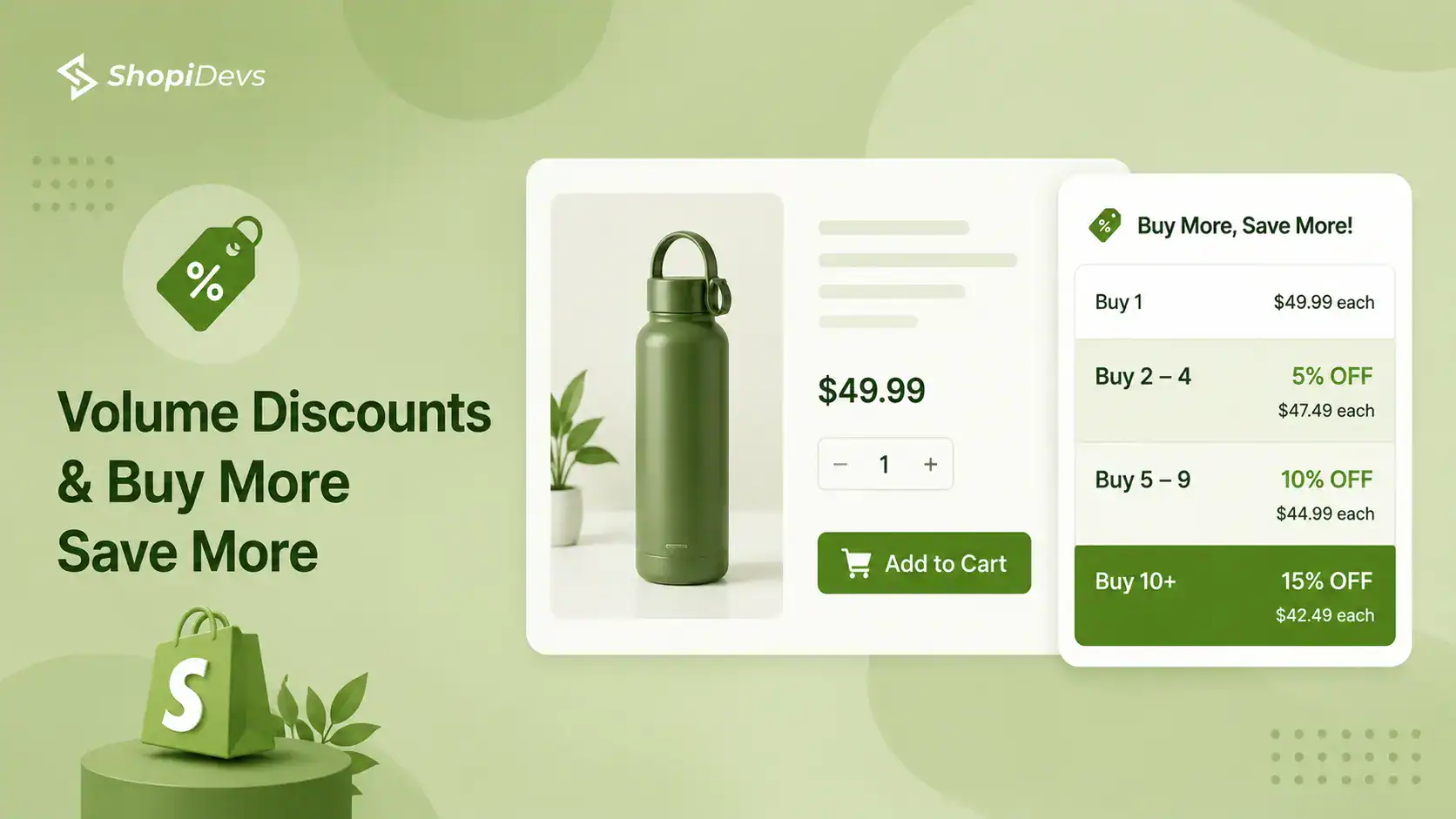
The key is making the math visible. Do not just show the discounted price. Show what they save versus buying at full price. “Buy 3 for $42 instead of $51” is concrete and motivating. “10% off when you buy 3” is abstract and easy to ignore.
Shopify’s native discount system supports basic volume pricing through discount codes. For a per-product tiered display with automatic application at the product level, you need a third-party solution or a Shopify theme that supports metafields for tiered pricing. The compare-at-price feature in Shopify also lets you show the original price next to the discounted bundle price for visual impact.
Volume discounts work best in these categories:
- Supplements and vitamins (90-day supply vs. 30-day)
- Pet food and grooming products
- Beauty products with high repurchase rates
- Stationery, candles, and home consumables
- Coffee, tea, and specialty foods
Tip: Set your highest-tier discount to something customers will remember. “Buy 4, get the 5th free” is more memorable than “Buy 5 and save 20%.” The mental shortcut of a free product is a stronger motivator than a percentage.
For stores where order values vary significantly by product, look at your data before applying volume discounts store-wide. Apply them first to your top 5 best-selling SKUs by order volume. Measure for 30 days. Then expand to the rest of the catalog.
Bottom line: Volume discounts work best on consumables with natural reorder cycles. If your customers buy the same product repeatedly, a tiered discount that raises their initial cart value reduces your fulfillment cost-per-order and builds loyalty at the same time.
6. Order Bumps at Checkout
An order bump is a low-price add-on displayed at the checkout page, just before payment. The customer sees something like: “Add a gift wrapping service for $3.99” or “Add a premium warranty for $5.99” with a single checkbox. Because the customer has already committed to buying, the psychological barrier to adding one more item is very low.
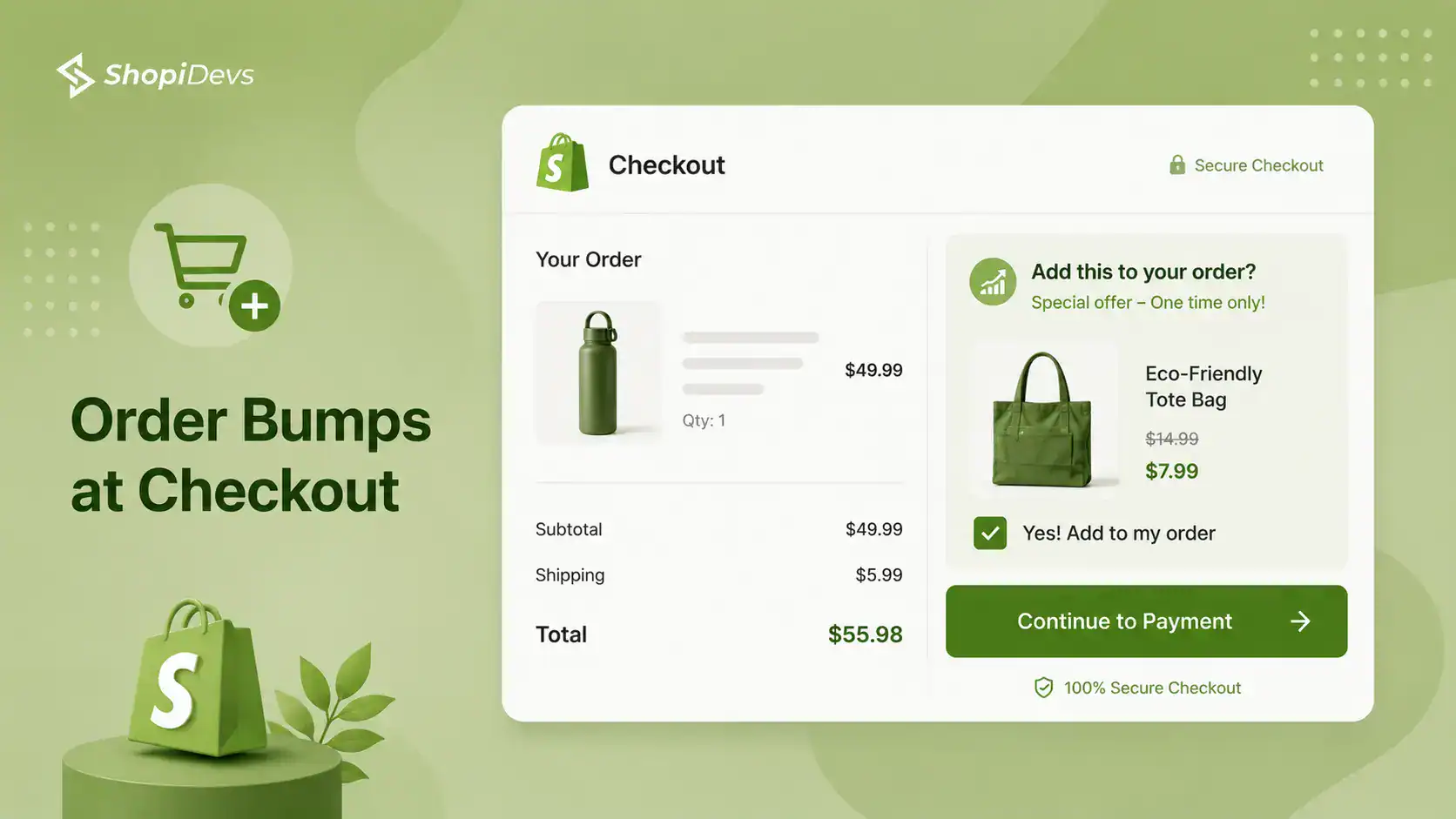
Order bumps are impulse purchases at the checkout level. They work best when the add-on is low-cost, high-relevance, and instantly understood. A $150 product with a $9.99 add-on is a natural yes. A $25 product with a $19.99 add-on feels like a second decision and converts poorly.
Shopify’s native checkout does not support order bumps for Basic and Advanced plan merchants without a third-party app. For a Shopify-native implementation approach, see this checkout page customization guide. Shopify Plus merchants can use Checkout UI Extensions to add native order bump functionality.
What makes a good order bump add-on:
- Relevant to the main purchase: Selling a camera? Add a memory card or a lens cap.
- Price is less than 15% of the main order: Anything higher triggers decision fatigue at checkout.
- No shipping complications: Digital downloads, gift wrap, or small physical add-ons that ship with the main order.
- Clearly described in one line: No reading required. The value should be obvious at a glance.
Post-purchase upsells on the thank-you page are a related tactic. Merchants using thank-you page offers report an average 18% uptake on these post-purchase offers (Rebuy Engine, 2026). These convert lower than checkout-stage bumps but require no checkout modification.
Bottom line: Order bumps at checkout are the highest-intent moment in your store. A $5 to $15 add-on relevant to the main purchase converts at 15 to 25% for most Shopify stores. Start with one well-chosen add-on per product category.
7. Shoppable Lookbooks and Product Discovery
A shoppable lookbook is a curated collection of photos showing products styled together, with hotspot tags that link directly to each product. When a customer sees a full outfit or a styled room scene and can buy every item in the photo with one click, they do not just buy one product. They buy the vision.
This is why product discovery through lookbooks drives higher AOV than standard category browsing. A customer who lands on a product page buys one item. A customer who browses a lookbook sees three to five products working together and often buys two to four of them. The lookbook shifts the buying context from “what do I need?” to “I want this whole look.”
For fashion, home decor, and lifestyle brands, lookbooks are one of the strongest AOV multipliers available. Set up a Shopify lookbook on a dedicated page or use it as your homepage hero. Detailed setup steps are covered in how to create a lookbook in Shopify.
For photo gallery displays that work alongside lookbooks, the Shopify photo gallery setup guide covers the options in detail.
Essential Grid Gallery: Shoppable Lookbooks with Hotspot Product Tagging
Essential Grid adds shoppable lookbook pages, Instagram feed galleries, and styled product grids to your Shopify store. You can tag individual products in any photo with hotspots that open product details without leaving the lookbook. Unlike generic gallery apps, Essential Grid supports video, Instagram, and YouTube embedding in the same grid. Rated 4.9 stars by 207+ verified Shopify merchants. Free plan available; paid plans from $5.99/month.
Try Essential Grid FreeBottom line: Lookbooks convert browse intent into multi-item purchase intent. For fashion, lifestyle, and home decor stores, one well-made shoppable lookbook page can be a permanent AOV multiplier that keeps working without maintenance.
8. Optimize Your Product Page Copy
Bad product descriptions push customers toward the lowest-priced option. Good ones build desire for the full product experience. Desire for the full experience means bigger carts.
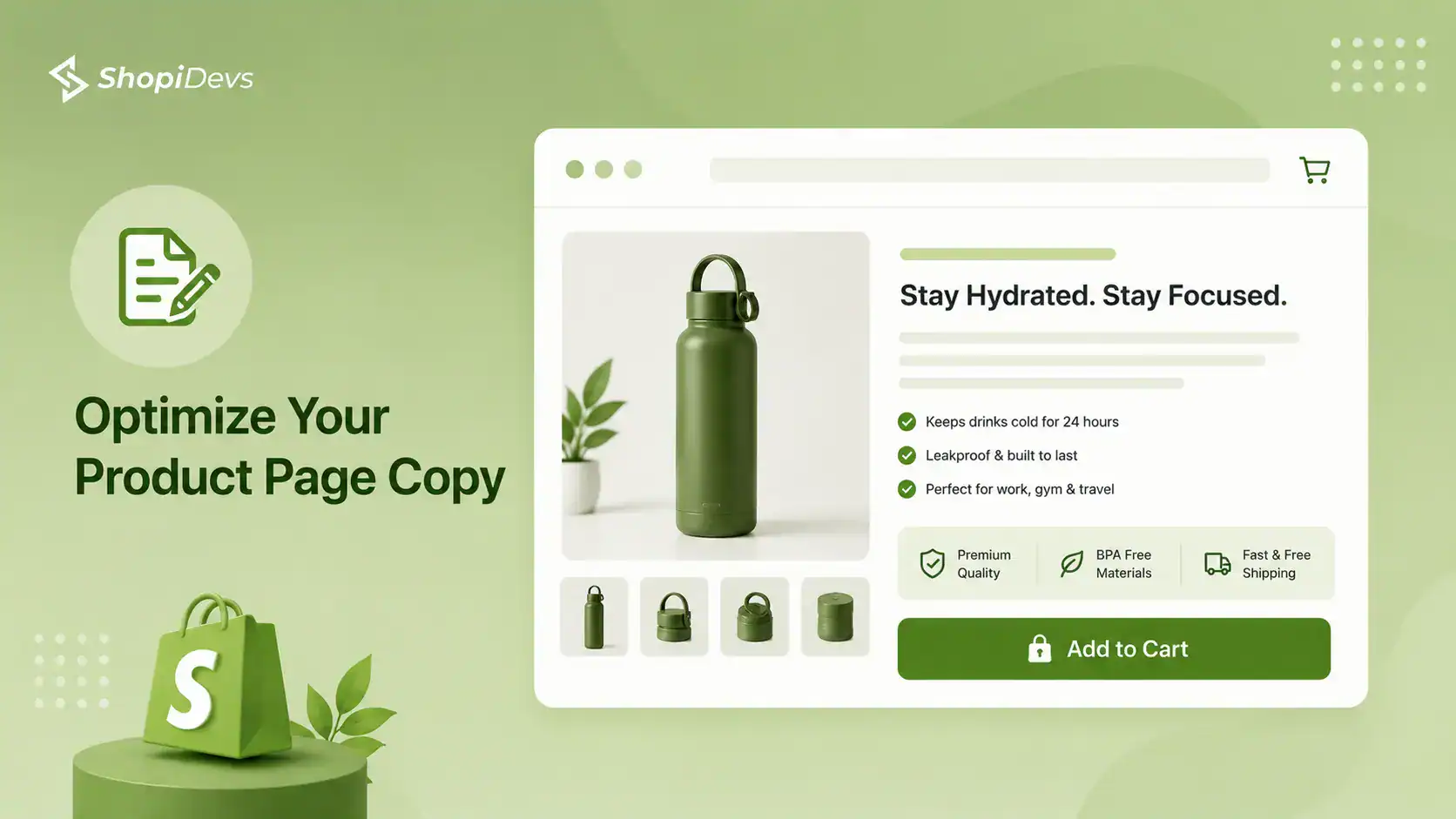
Most Shopify product descriptions list features. Features tell customers what the product is. They do not tell customers why they want it or what it will feel like to use it. That gap is where AOV is lost. A customer who only understands the specs buys the cheapest option that meets the specs. A customer who understands the outcome buys the version that delivers that outcome.
Rewriting product descriptions to focus on outcomes rather than features is one of the four core strategies in this guide to writing Shopify product descriptions on ShopiDevs. The principle: every description should answer “what does this do for me?” before it lists what the product is made of or how many grams it weighs.
High-converting product descriptions also make upsells and cross-sells easier. A description that creates emotional desire for a product naturally leads the customer to add the case, the warranty, or the matching item. Low-quality copy creates indecision. Indecision leads to abandonment, not upsell clicks.
Bottom line: Product descriptions are not a copywriting exercise. They are a conversion asset. Every description that answers “what does this do for me” converts better than one that lists specs. Rewriting your top 20 product descriptions using an outcome-first structure is a week of work that pays off for years.
What Not to Do: AOV Mistakes That Hurt Conversion
Most AOV guides tell you what to do. Here is what to avoid. These mistakes are common in Shopify stores and they quietly kill the conversion rate while chasing a higher cart value.
Mistake 1: Discounting Too Aggressively to Drive Bundle Purchases
Warning: If your bundle discount is too deep, customers wait for the bundle instead of buying at full price. A 40% bundle discount trains buyers to never purchase individual items. Keep bundle discounts between 10% and 20%. Enough to motivate, but not enough to destroy margins.
Mistake 2: Showing Too Many Upsells at Once
Warning: Three upsell widgets on one product page do not convert three times better. They create decision fatigue and reduce conversions. Pick one primary upsell placement, test it, then add another only if the data supports it.
Mistake 3: Cross-selling Products with No Clear Connection
Warning: A cross-sell only works when the relationship between products is obvious. “Customers also bought” is weak on its own. Explain why the recommended product improves or completes the purchase.
Mistake 4: Hiding the Free Shipping Threshold
Warning: If shoppers only discover the free shipping threshold during checkout, the incentive arrives too late. Display it on the product page, cart drawer, and site header so customers can increase their cart value before purchasing.
Mistake 5: Relying on Post-purchase Upsells First
Warning: Post-purchase upsells can generate extra revenue, but optimizing product-page bundles, pre-checkout upsells, and free shipping incentives usually delivers much larger AOV gains. Optimize those first before focusing on thank-you page offers.
AOV Tactics by Store Stage: Which to Implement First
Not every tactic on this list is right for every stage of your store’s growth. A brand-new store needs quick wins that require minimal setup. A store processing 1,000+ orders per month can invest in more complex personalization and checkout optimization. Here is the implementation sequence by stage.
| Store Stage | Monthly Orders | Start With | Then Add | Expected AOV Lift |
|---|---|---|---|---|
| New Store | 0 to 100 | Free shipping threshold + product bundles | Product page copy optimization (Sidekick AI Studio) | +10 to 20% |
| Growing Store | 100 to 1,000 | Upsell widget on product pages + cross-sell in cart (EasyBoost) | Volume discounts on top SKUs + shoppable lookbook (Essential Grid) | +20 to 35% |
| Scaling Store | 1,000+ | Checkout order bumps + post-purchase upsells | AI product recommendations + personalization by customer segment | +30 to 50% |
This sequence exists because each stage has a different constraint. New stores need simple, fast wins that show revenue impact without requiring deep technical setup. Growing stores have enough order data to run meaningful A/B tests on upsell and cross-sell placements. Scaling stores can invest in checkout-level customization and personalization because their volume justifies the setup cost.
If you are launching a new store, the Shopify store launch checklist on ShopiDevs covers the foundational setup steps before you start optimizing for AOV.
“35% of Amazon’s revenue comes from product recommendations.” Most Shopify stores still have little or no upsell or cross-sell strategy. The gap between Amazon’s recommendation revenue and the average Shopify store is rarely a technology problem. It is usually an implementation problem. The tools already exist, but many merchants have not configured them effectively. (Source: McKinsey, 2023. Amazon recommendation engine attribution.)
Meet Snazzy — the theme that sells the look
A conversion-focused Shopify theme for modern fashion stores. Bundle builder, lookbook and mega menu built in — one-time payment, lifetime updates.

Frequently Asked Questions
What is average order value on Shopify?
Average order value (AOV) on Shopify is the average amount a customer spends per transaction. The formula is: Total Revenue divided by Number of Orders. If your store made $10,000 from 100 orders, your AOV is $100. Shopify tracks this automatically in Admin > Analytics > Dashboards. You can filter by date, channel, or customer type.
What is a good AOV for a Shopify store?
The global Shopify average is $85 to $110 per order (Littledata Shopify Benchmarks, 2025). Top 20% of stores exceed $109. Top 10% exceed $120. But “good” is relative to your industry. Jewelry stores average $250 per order. Fashion stores average $120. Health and beauty stores average $95. Compare yourself to your category, not the global average. See the Shopify CRO guide for how to interpret your AOV alongside conversion rate.
Does upselling increase average order value?
Yes. Product-page upsells perform 2 to 3 times better than post-cart upsells (Baymard Institute, 2023). Merchants using upsell widgets on product pages see 10 to 30% AOV lifts within the first month. The key is placement. Show the upsell on the product page before the customer adds to cart. Post-cart upsells convert much lower because the customer is already in checkout mode. See the full breakdown in our guide to upselling in Shopify.
What is the difference between upselling and cross-selling on Shopify?
Upselling means suggesting a better or more expensive version of the product a customer is viewing. A customer looks at a 30-day supplement supply; you show them the 90-day bundle. Cross-selling means suggesting a complementary product. They add running shoes; you show running socks. Both increase AOV but at different decision points. Upsells work best on the product page. Cross-sells work best in the cart.
Ready to Increase Your Shopify AOV Today?
Start with EasyBoost to add upsell, cross-sell, product bundles, and product recommendation widgets to your Shopify store. Install it for free and launch your first offer in minutes. Or explore the complete ShopiDevs app collection designed to help merchants increase conversions, average order value, and revenue.

Nahid Komol is a product marketer and GTM strategist specializing in WordPress, SaaS, and AI-integrated growth (AEO, AIO, GEO). With 10+ years of hands-on experience at brands like FunnelKit, FlyWP, and weDevs, he brings deep expertise in content strategy, product positioning, user acquisition, and full-funnel marketing. He's led campaigns generating $100K in sales, grown organic traffic by 70%, and ranked 500+ articles on Google, and is now building AI agent workflows that automate core marketing operations at scale. When he's not crafting strategies or engineering prompt systems, you'll find him exploring sci-fi, composing music, or capturing the quiet poetry of nature through his lens.