Fresh content without extra work
Connect your account once. When you post on Instagram, the gallery updates on its own, so there is nothing to re-upload.

Add an Instagram feed to your Shopify store with the Essential Grid Gallery app. Connect your account once, pick a layout and embed the feed on any page. New posts appear automatically, and Reels play on the page without sending shoppers away.
The Instagram feed, Reels and post embeds are all included from the Basic plan, $5.99/month. Higher plans add more templates.
 Built for Shopify
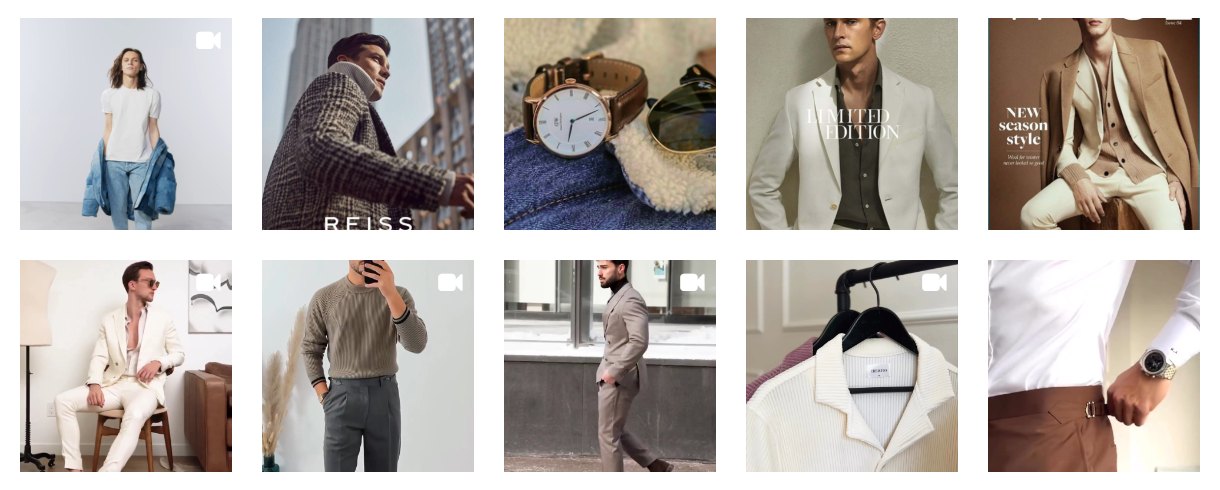
Your best content is already on Instagram. Show it where shoppers are deciding what to buy.
Install Essential Grid Gallery from the Shopify App Store, open the gallery editor and click Connect Instagram Account. Choose an Instagram template and publish the gallery to any page of your store. The feed updates automatically when you post, and you don't need to copy embed code or edit your theme. The Instagram feed starts on the Basic plan, and every paid plan has a 7-day free trial.
Want the full walkthrough? Read our guide on how to add an Instagram feed to Shopify.
Connect your account once. When you post on Instagram, the gallery updates on its own, so there is nothing to re-upload.
Shoppers see the same posts and Reels your followers see, which shows them your brand is active and how your products look in everyday use.
Shoppers watch your Reels in a popup on your store and stay on the page instead of being sent to Instagram.
Everything happens in the drag-and-drop editor. There is no code to write and no embed code to copy.
Click Connect Instagram Account in the gallery editor and log in.
Start from an Instagram template and set how many posts to show.
Add the gallery to your homepage, a collection or any other page with one click.
Shoppers tap a Reel in the gallery and it plays in a popup, right on your store. When it ends they are still on your page, with the rest of your gallery one click away.
Recorded on our demo store. Try it yourself
Pick an Instagram template, connect your account and adjust it in the editor. Each one below is live on our demo store.
A clean grid of your latest posts, with a video icon on the Reels.
See the demo →A swipeable row of your Reels that shoppers can watch on the page.
See the demo →An even grid of posts, with the date and caption under each one.
See the demo →Posts in a staggered layout that keeps the shape of each image.
See the demo →Instagram's own embed code works for one post at a time. A feed app shows your whole feed in one gallery.
| Instagram embed code | Essential Grid Gallery | |
|---|---|---|
| Setup | Copy an embed code from Instagram for each post and paste it in | Connect your account once in the editor |
| New posts | Add each new post by hand | Appear in the gallery automatically |
| Layout | One post at a time | Grid, masonry, carousel and Reels layouts |
| Reels | Each Reel is embedded on its own | Reels play in a popup in the gallery (every paid plan) |
The Instagram feed, Reels and post embeds are all included from the Basic plan. Higher plans add more templates, and every paid plan includes a 7-day free trial.
| Feature | Free | BasicInstagram starts here | Standard | Business |
|---|---|---|---|---|
| Monthly price | $0 | $5.99 | $12.99 | $29.99 |
| Instagram feed | — | ✓ | ✓ | ✓ |
| Instagram Reels | — | ✓ | ✓ | ✓ |
| Instagram post embed | — | ✓ | ✓ | ✓ |
| Analytics dashboard | — | ✓ | ✓ | ✓ |
| Templates | 4 | 30+ | 50+ | Unlimited |
| Galleries | 1 | 5 | 15 | Unlimited |
See every feature in the full plan comparison.
Start 7-day free trialEverything you need to know before you start. Still unsure? Our support team replies fast on live chat.
Talk to support